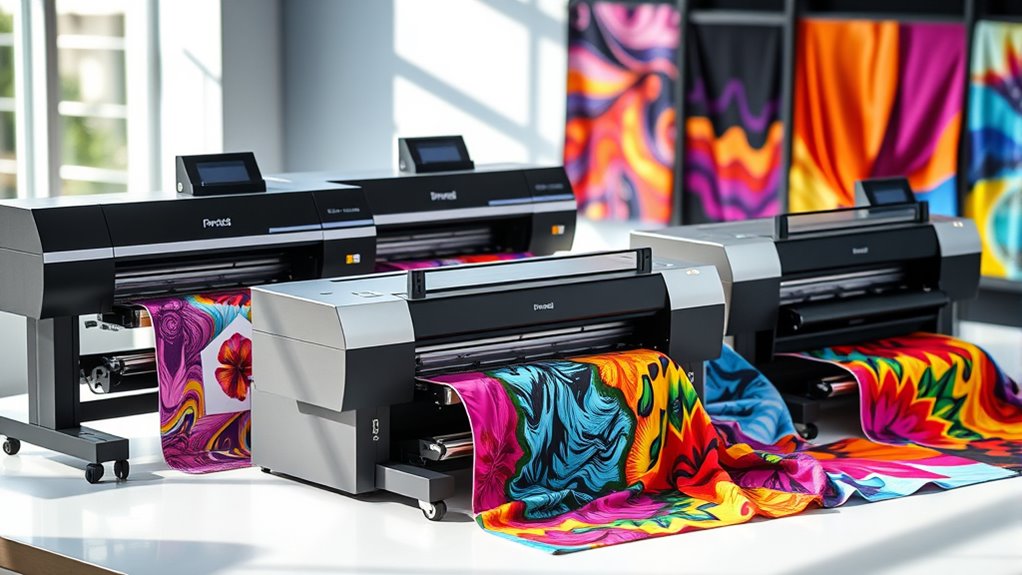
I’ve looked into the top sublimation printers for textiles in 2025, and several stand out for vibrant, durable prints. From compact options like the Epson SureColor F170 and Brother models to wide-format units like the Epson F570 Pro, these printers support high-res, borderless transfers perfect for small businesses and hobbyists. Many feature refillable ink tanks and easy-to-use interfaces. Keep exploring—there’s much more to discover about these impressive tools for your creative projects.
Key Takeaways
- Look for models supporting large-format, borderless printing with high resolution (up to 2400 dpi) for vibrant textile transfers.
- Prioritize printers with refillable ink systems and auto-fill features to ensure cost-effective, mess-free operations.
- Choose devices with user-friendly touchscreens and wireless connectivity for streamlined workflow and easy setup.
- Opt for printers compatible with sublimation transfer paper and capable of handling media sizes up to 13×19 inches or roll media.
- Consider brand reputation, user feedback, and upcoming availability to select reliable, high-quality printers in 2025.
Brother Sublimation Printer
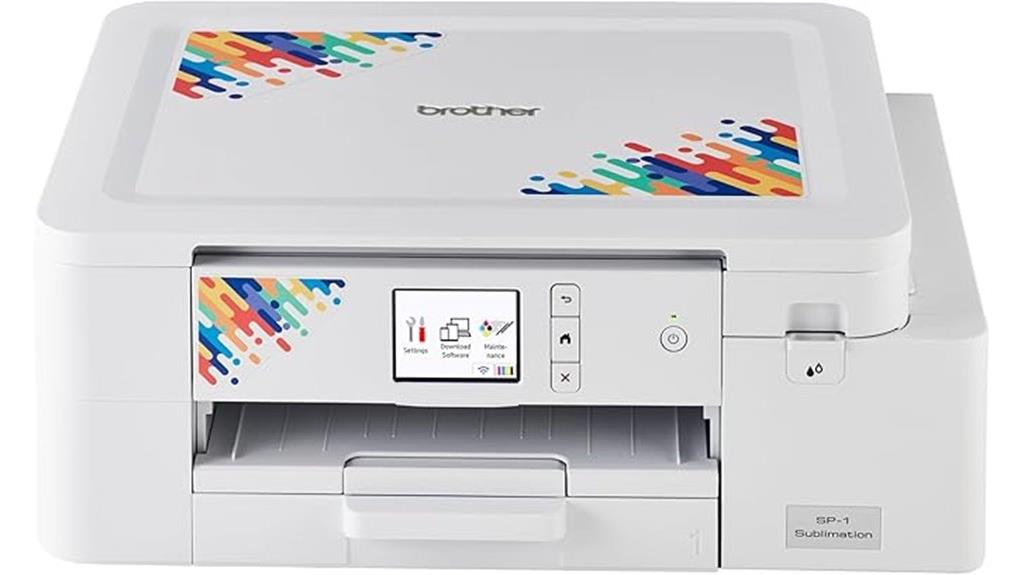
If you’re looking for a compact and user-friendly sublimation printer perfect for small-scale projects, the Brother Sublimation Printer is an excellent choice. It’s designed for vibrant transfers on items like T-shirts, mugs, and home decor, supporting sublimation on polyester or polymer-coated surfaces. With a 2.7-inch touch panel and wireless connectivity, it’s easy to operate and versatile. The printer delivers sharp images at up to 1440×1440 dpi resolution and includes essential supplies like ink cartridges and sublimation paper. Its size (17.1 x 13.5 x 6.2 inches) makes it ideal for small spaces, perfect for hobbyists and small businesses.
Best For: hobbyists, small business owners, and artists seeking an easy-to-use, compact sublimation printer for vibrant personalized projects.
Pros:
- Compact size ideal for small spaces and easy portability
- User-friendly 2.7-inch touch panel and wireless connectivity for effortless operation
- High-resolution printing up to 1440×1440 dpi ensures sharp, vibrant images
Cons:
- Limited media size of 8.5×11 inches may restrict larger projects
- Supports only polyester or polymer-coated surfaces, not natural fabrics
- Limited to US 120V power supply, which may not be compatible internationally
Epson SureColor F170 Dye-Sublimation Printer
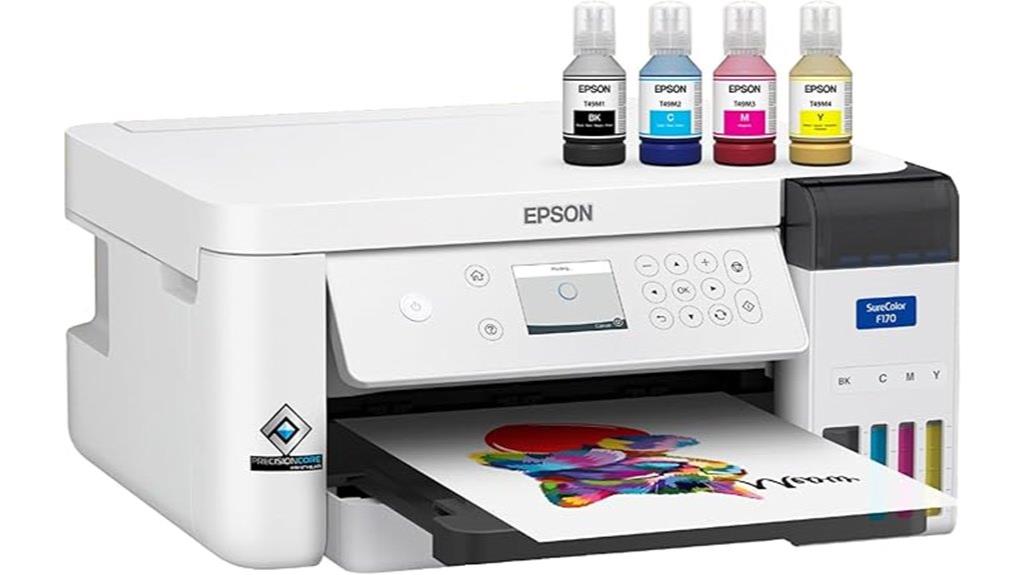
The Epson SureColor F170 Dye-Sublimation Printer stands out as an ideal choice for small businesses and hobbyists seeking professional-quality textile prints. It’s an authentic, OEM product with factory-sealed packaging, full manufacturer support, and a warranty. Equipped with Epson’s renowned sublimation inks, it delivers vibrant colors, consistent saturation, and sharp image clarity, certified safe for textiles, mugs, and more. Powered by PrecisionCore technology, it ensures reliable, detailed prints. Its compact design includes a 150-sheet auto-feed tray and a dust-resistant paper tray, making setup and operation straightforward. Plus, the bundle includes everything needed for clean, professional sublimation projects.
Best For: small businesses, hobbyists, and crafters seeking professional-quality dye-sublimation prints for textiles, mugs, and various custom products.
Pros:
- Genuine Epson sublimation inks with certified safety and vibrant color results.
- Compact and user-friendly design, compatible with both Mac and Windows.
- Reliable PrecisionCore technology ensures sharp, detailed, and consistent prints.
Cons:
- Limited to sublimation printing, not suitable for standard inkjet or laser printing needs.
- May require additional investment in sublimation accessories or media for full customization.
- Small footprint might limit high-volume printing capacity for larger production runs.
Epson SureColor F170 Dye-Sublimation Printer with Starter Kit

Designed for small businesses and hobbyists seeking professional-quality sublimation results, the Epson SureColor F170 Dye-Sublimation Printer stands out with its PrecisionCore printhead, which delivers sharp, vibrant images with exceptional clarity. It offers a compact, space-saving design that seamlessly fits into any workspace. The printer arrives as a complete starter kit, including genuine Epson dye-sublimation ink, a 150-sheet auto-feed tray, and compatible Mac and Windows software. Supporting media up to 8.5 inches wide, it’s versatile for printing on soft and rigid materials like mugs, awards, and mousepads. Backed by reliable support and a full warranty, it’s ideal for high-quality sublimation projects.
Best For: small businesses, hobbyists, and professionals seeking high-quality, versatile sublimation printing on soft and rigid materials within an 8.5-inch media width.
Pros:
- Delivers sharp, vibrant images with PrecisionCore printhead technology for professional-quality results
- Compact, space-saving design ideal for small workshops or personal studios
- Complete starter kit includes genuine Epson ink, a large auto-feed tray, and compatible software for easy setup and operation
Cons:
- Limited to media up to 8.5 inches wide, which may restrict larger project options
- Print-only device, requiring additional equipment for cutting or finishing projects
- Requires use of genuine Epson ink to ensure optimal performance, which may be more costly than third-party alternatives
Cartridge-Free Sublimation Printer for T-Shirts, Mugs & More

A cartridge-free sublimation printer with high-capacity ink tanks offers an affordable and hassle-free way to produce vibrant T-shirts, mugs, and other textiles. Its super-tank design uses 70mL sublimation ink bottles, eliminating the need for cartridges and making refills simple with auto-fill nozzles—no syringes or leaks. The all-in-one wireless model includes a scanner and copier, perfect for small businesses or DIY enthusiasts. Ready to use straight out of the box, it supports media up to 8.5 x 11 inches and offers a 3,500-sheet input capacity. Compact and lightweight, it’s a versatile solution for vibrant, professional-quality transfers on various surfaces.
Best For: small business owners, DIY enthusiasts, and creative crafters seeking an affordable, cartridge-free sublimation printer for vibrant transfers on textiles and surfaces.
Pros:
- Cartridge-free design with high-capacity 70mL ink bottles simplifies refills and reduces costs
- Wireless all-in-one functionality including scanner and copier for versatile use
- Ready-to-use setup with included sublimation ink, paper, and accessories for immediate start
Cons:
- Limited media size support up to 8.5 x 11 inches may restrict larger projects
- Initial prints may appear light until heat pressing is applied, requiring adjustments
- Customer ratings are moderate; some users report needing to fine-tune heat press settings for best results
Pinckney Cartridge-Free Super-Tank Printer with Sublimation Ink Bundle
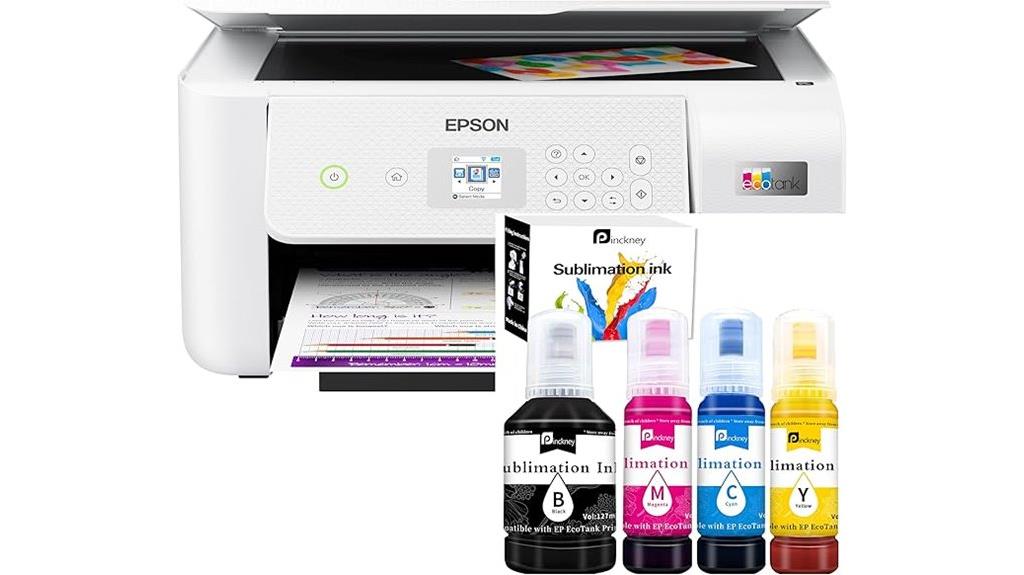
If you’re looking for an efficient sublimation printer that simplifies ink management, the Pinckney Cartridge-Free Super-Tank Printer with Sublimation Ink Bundle stands out as an excellent choice. It’s an all-in-one wireless device supporting sublimation printing, scanning, and copying, with high-capacity ink tanks that eliminate cartridges. The printer offers vivid, high-resolution prints up to 5760 x 1440 dpi and supports various paper sizes, including custom options. Its auto-fill nozzles make refilling easy and mess-free. Designed for small projects like T-shirts and mugs, it’s lightweight, reliable, and perfect for those seeking quality and convenience in sublimation printing.
Best For: small-scale sublimation enthusiasts and small business owners seeking an easy-to-use, cartridge-free printer for personalized products like T-shirts, mugs, and phone cases.
Pros:
- High-capacity ink tanks eliminate the need for frequent cartridge replacements, reducing maintenance.
- Supports a wide range of paper sizes and custom dimensions up to 8.5 x 47.2 inches, ideal for various projects.
- Easy ink refilling with auto-fill nozzles ensures mess-free operation and minimal downtime.
Cons:
- No duplex printing feature, which may limit efficiency for certain tasks.
- Dull appearance of sublimation prints on paper before heat transfer requires proper post-processing.
- Limited to media sizes up to 8.5 x 11 inches for copying and scanning, restricting larger document handling.
Epson SureColor F170 Sublimation Starter Kit
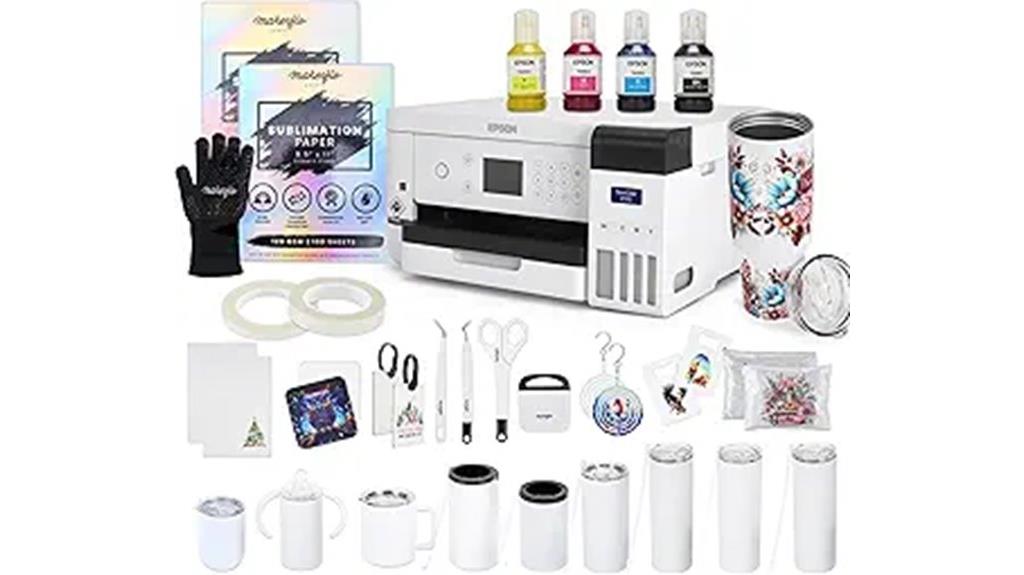
The Epson SureColor F170 Sublimation Starter Kit stands out for beginners and small businesses seeking an easy-to-use, reliable entry point into textile sublimation. It features a compact design and a PrecisionCore microTFP printhead, ensuring vibrant, crisp prints on tumblers, shirts, and mugs. The kit includes everything you need: the printer, CMYK sublimation ink, paper, heat tape, and 10 high-quality tumblers in various styles. With support for Mac and Windows, plus design resources from Creative Fabrica, it’s perfect for hobbyists and small-scale producers. Ease of setup, full support, and a strong customer rating make this starter kit an excellent choice for new sublimation enthusiasts.
Best For: beginners, hobbyists, and small businesses seeking an easy, reliable entry point into textile sublimation with vibrant, professional-quality results.
Pros:
- User-friendly setup with full support from MakerFlo Crafts & Epson
- Complete starter bundle including printer, ink, paper, tumblers, and design resources
- Compact design with vibrant, crisp prints supported on various substrates
Cons:
- Not compatible with mobile devices; limited to Mac and Windows
- Ink installation makes the printer non-returnable, requiring careful consideration before setup
- Slightly higher price point compared to basic sublimation kits
Pinckney Cartridge-Free Sublimation Printer with Ink for Heat Transfers on T-Shirts
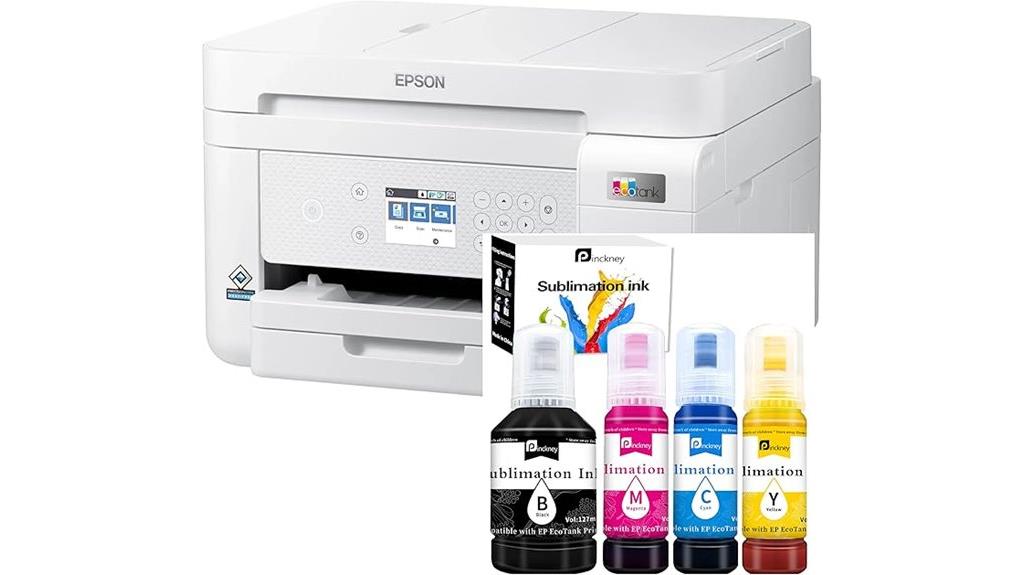
For those seeking a hassle-free sublimation printer capable of producing vibrant heat transfers on T-shirts, the Pinckney Cartridge-Free Sublimation Printer stands out. It features wireless connectivity, high-resolution output up to 5760 x 1440 dpi, and supports print sizes up to 8.5 x 14 inches. Its high-capacity, cartridge-free ink tanks make refilling simple, reducing mess and downtime. With an all-in-one design—printing, copying, and scanning—it’s versatile for various projects. The 250-sheet tray and Ethernet support ensure smooth, efficient operation. Although some users report issues, it remains a popular choice for those who want reliable, vibrant heat transfers on textiles.
Best For: hobbyists and small businesses looking for an easy-to-use, wireless sublimation printer for creating vibrant heat transfers on T-shirts and other textiles.
Pros:
- Cartridge-free high-capacity ink tanks for easy refilling and minimal mess
- Supports large print sizes up to 8.5 x 14 inches with high-resolution output of 5760 x 1440 dpi
- All-in-one functionality including printing, copying, and scanning, plus Ethernet connectivity for network use
Cons:
- Customer reviews indicate issues with print quality, such as lines or lines in images
- Some users report missing accessories like cords or instructions, leading to setup difficulties
- Limited warranty and mixed feedback on long-term reliability
Epson F170 Cartridge-Free Eco Supertank Sublimation Printer Starter Bundle
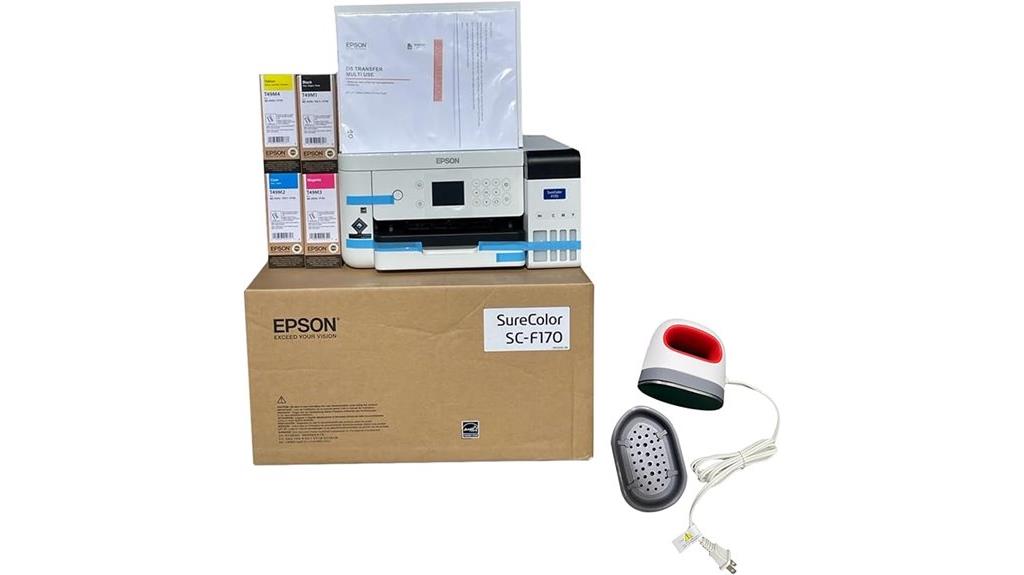
Looking for an affordable, low-maintenance sublimation printer perfect for beginners and small businesses? The Epson F170 Cartridge-Free Eco Supertank Starter Bundle fits the bill. It includes the printer, a user guide, AC power cable, sublimation paper, inks, thermal tape, and a mini heat press. Designed for printing on polyester surfaces, it delivers vibrant, high-quality colors with minimal fuss. Its cartridge-free ink system reduces ongoing costs, making it economical over time. The bundle is ready to go right out of the box, enabling quick start to your sublimation projects. Just keep in mind, once filled, the inks can’t be replaced or returned.
Best For: small businesses, beginners, and hobbyists looking for an affordable and low-maintenance sublimation printer for polyester surfaces.
Pros:
- Cartridge-free ink system reduces ongoing printing costs
- Comes with all necessary supplies for immediate start, including heat press and sublimation paper
- Compact design suitable for small spaces and easy to operate
Cons:
- Once filled with ink, the printer cannot be returned or refilled, limiting flexibility
- Compatible only with sublimation on polyester surfaces, not suitable for other materials
- Supports only 8.5×11 and 8.5×14 sheets, which may be limiting for larger projects
Brother Sublimation Printer with Ink Cartridges and Sublimation Paper
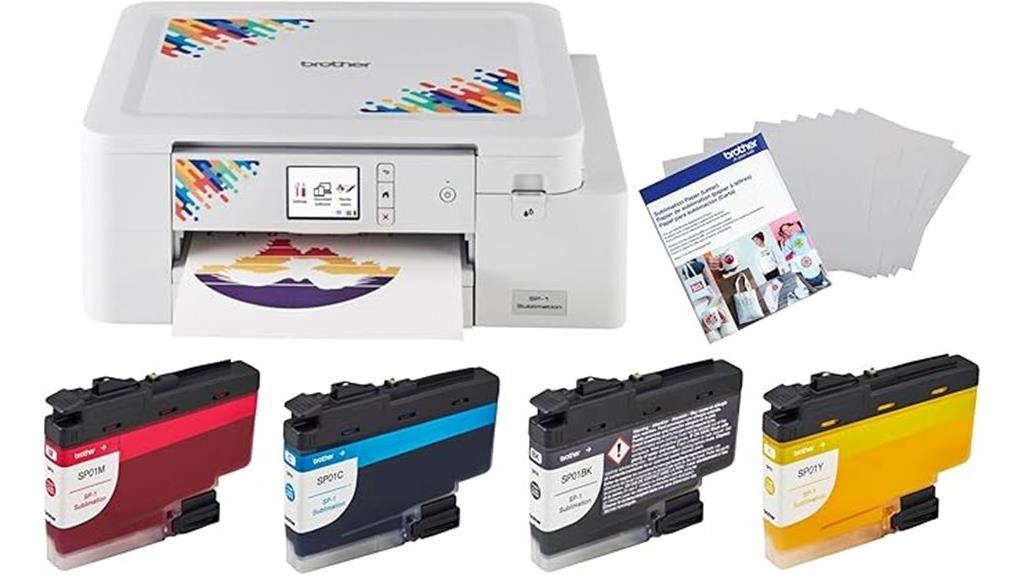
If you want a reliable sublimation printer that’s perfect for DIY enthusiasts and small business owners, the Brother Sublimation Printer with Ink Cartridges and Sublimation Paper stands out. This bundle includes four-color sublimation ink cartridges and 100 sheets of letter-size sublimation paper, making it ideal for creating custom apparel and personalized gifts. It features fast printing speeds, up to 45 seconds per sheet, so you can produce vibrant, full-color designs quickly. Powered by the free Artspira app, it’s easy to import images, access over 100 designs, and transform photos into stylized artworks. Just transfer your design, heat press, and you’re ready to go.
Best For: DIY enthusiasts and small business owners seeking an easy-to-use, reliable sublimation printer for creating custom apparel and personalized gifts.
Pros:
- Fast printing speeds of up to 45 seconds per sheet, ensuring quick production.
- Comes with four-color sublimation ink cartridges and 100 sheets of sublimation paper, providing a complete starter kit.
- Powered by the free Artspira app, offering user-friendly design import, access to over 100 templates, and creative tools.
Cons:
- Heat pressing requires an additional purchase, adding to the overall setup cost.
- Limited to letter-size sublimation paper, which may not suit larger projects.
- As a sublimation printer, it’s specialized and may not function for standard printing needs.
Makerflo Epson SureColor F170 Sublimation Printer for Tumblers, T-Shirts, Mugs
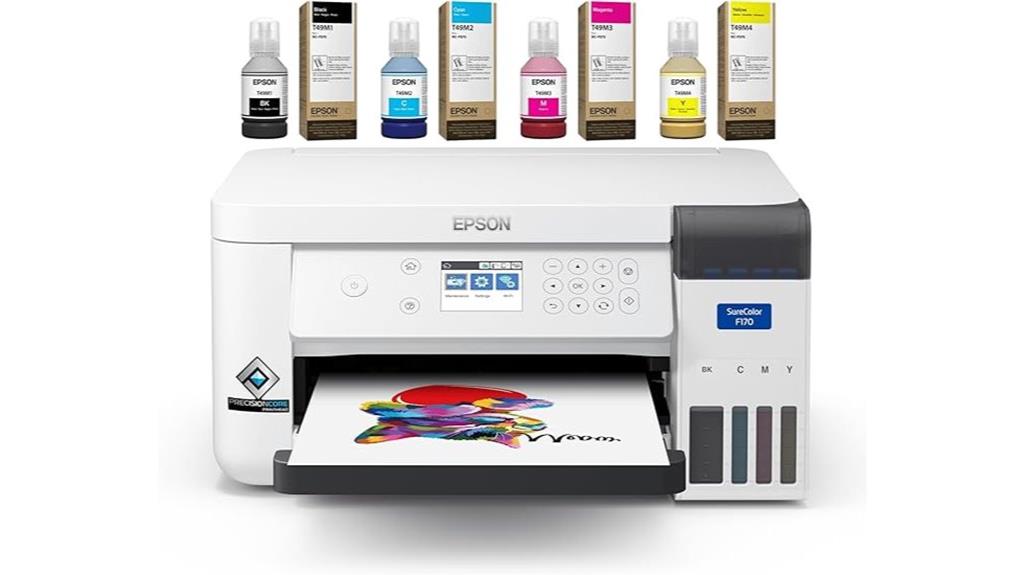
The Makerflo Epson SureColor F170 stands out as an excellent choice for small businesses and hobbyists seeking professional-quality sublimation prints on tumblers, T-shirts, and mugs. Its Epson PrecisionCore microTFP printhead guarantees precise color control and vibrant, high-resolution results. Compact and lightweight, it fits easily into small workspaces, making it perfect for home studios. Compatible with Mac and Windows, it offers a smooth workflow with optimized software, though it connects via desktop or laptop only. Designed specifically for dye sublimation, it delivers consistent, eye-catching designs, but requires genuine sublimation ink and supports media up to A4 size.
Best For: small business owners and hobbyists seeking professional-quality sublimation printing for tumblers, T-shirts, and mugs in a compact, easy-to-use device.
Pros:
- Delivers vibrant, high-resolution, professional-quality prints with Epson’s PrecisionCore technology.
- Compact and lightweight design perfect for small workspaces and home studios.
- Compatible with both Mac and Windows systems, offering a smooth workflow with optimized software.
Cons:
- Connects only via desktop or laptop, not mobile devices.
- Requires genuine sublimation ink, which is sold separately.
- Supports media up to A4 size, limiting larger print projects.
Epson F170 Cartridge-Free Eco Supertank Sublimation Printer

For small businesses, artists, and crafters seeking affordable, high-quality sublimation printing, the Epson F170 Cartridge-Free EcoTank offers an excellent solution. Its refillable dye sublimation ink bottles keep costs low and reduce waste, making it economical for frequent use. Supporting media sizes up to 8.5×14 inches with a 150-sheet input capacity, it handles a variety of projects like apparel and mugs. The built-in LCD screen allows easy operation without a computer, and duplex printing boosts productivity. Compact and lightweight, the F170 delivers sharp 600 dpi prints quickly, making it perfect for those who want reliable, vibrant, and high-quality sublimation results without breaking the bank.
Best For: small businesses, artists, and crafters seeking affordable, high-quality sublimation printing solutions.
Pros:
- Refillable dye sublimation ink bottles reduce ongoing costs and waste
- Supports media sizes up to 8.5×14 inches, ideal for various projects
- Built-in LCD screen and duplex printing for easy operation and increased productivity
Cons:
- Limited to sublimation printing; not suitable for standard document printing
- Weighs 16 pounds, which may be less portable for mobile setups
- First availability is scheduled for April 1, 2025, so not immediately accessible
Sawgrass SG1000 Sublimation Printer Bundle
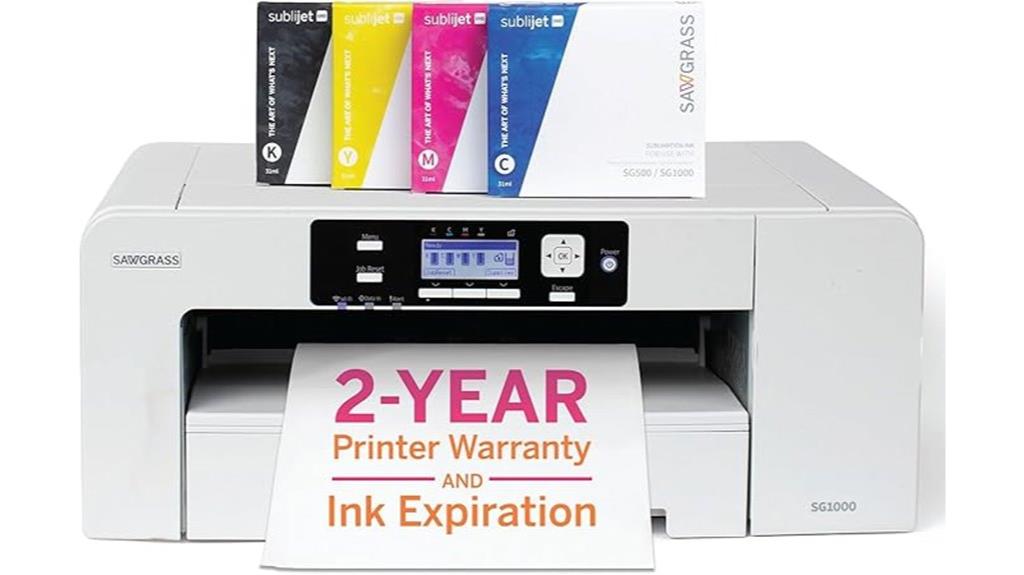
The Sawgrass SG1000 Sublimation Printer Bundle stands out as an excellent choice for growing businesses that require high-quality, scalable printing capabilities. It supports media sizes up to 11” x 17”, ideal for banners, signage, and promotional items. Equipped with SubliJet UHD inks, it delivers vivid, durable colors on both hard and soft substrates. Features like Wi-Fi, auto-maintenance, and duplex printing ensure reliable, efficient operation with minimal oversight. The bundle includes software tools for design and color management, plus a 2-year warranty and personalized onboarding. Overall, it’s a powerful, versatile printer designed to help entrepreneurs expand their sublimation offerings confidently.
Best For: small to medium-sized businesses and entrepreneurs seeking a scalable, high-quality sublimation printer for banners, signage, apparel, and promotional items.
Pros:
- Supports media sizes up to 11” x 17” for versatile printing options
- Includes SubliJet UHD inks for vibrant, durable colors on various substrates
- Features Wi-Fi, auto-maintenance, and duplex printing for reliable, efficient operation
Cons:
- Relatively heavy at 37.2 pounds, which may require a dedicated space
- First available date is May 15, 2025, indicating future availability
- Limited to 6 reviews with a 4.2-star rating, suggesting room for more user feedback
Cartridge-Free Wide Format Printer with Sublimation Ink Bundle
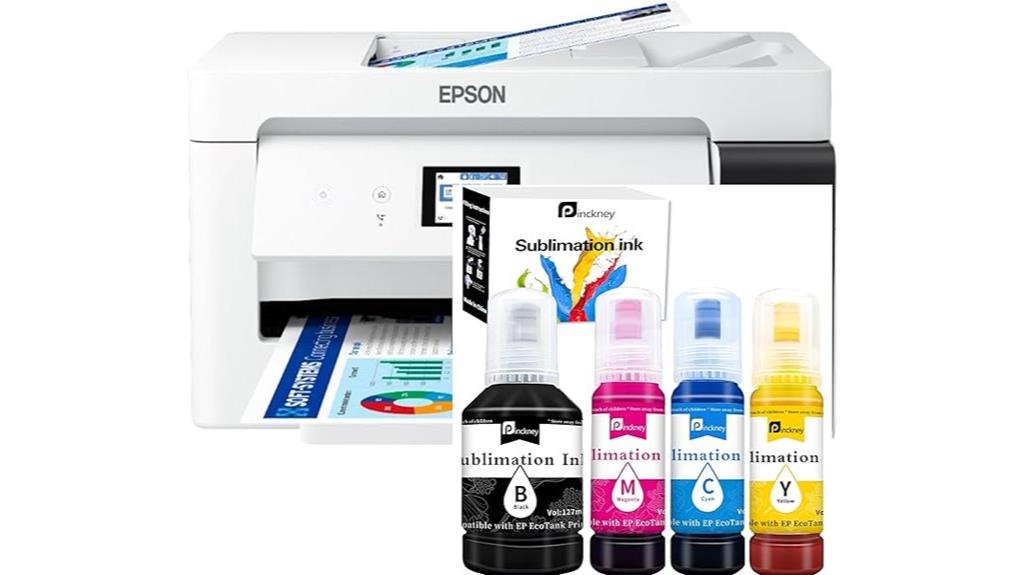
If you’re seeking a versatile wide-format sublimation printer that offers high-volume output without the hassle of cartridges, this cartridge-free all-in-one model is an excellent choice. It features wireless connectivity, a built-in scanner, and a copier, supporting prints up to 13 x 19 inches and borderless output up to 11 x 17 inches. The high-capacity ink tanks eliminate clogs and reduce waste, while the easy-to-fill nozzles prevent leaks. With a 250-sheet tray and a 2.7-inch color touchscreen, setup and operation are straightforward. Perfect for heat transfers and professional projects, it delivers vibrant, durable results with minimal maintenance.
Best For: professionals and small businesses seeking high-volume, cartridge-free wide-format sublimation printing with easy operation and vibrant, durable results.
Pros:
- Supports wide-format printing up to 13 x 19 inches and borderless output up to 11 x 17 inches for versatile project sizes
- Cartridge-free design with high-capacity, refillable ink tanks reduces clogging and waste, simplifying maintenance
- Wireless connectivity, built-in scanner, copier, and user-friendly 2.7-inch touchscreen enhance ease of use and workflow
Cons:
- Ink may arrive separately, requiring additional handling during setup
- Slightly larger footprint may require more space in the workspace
- Limited to sublimation ink applications, not suitable for standard document printing
Epson Surecolor F570 Pro 24 Desktop Sublimation Printer
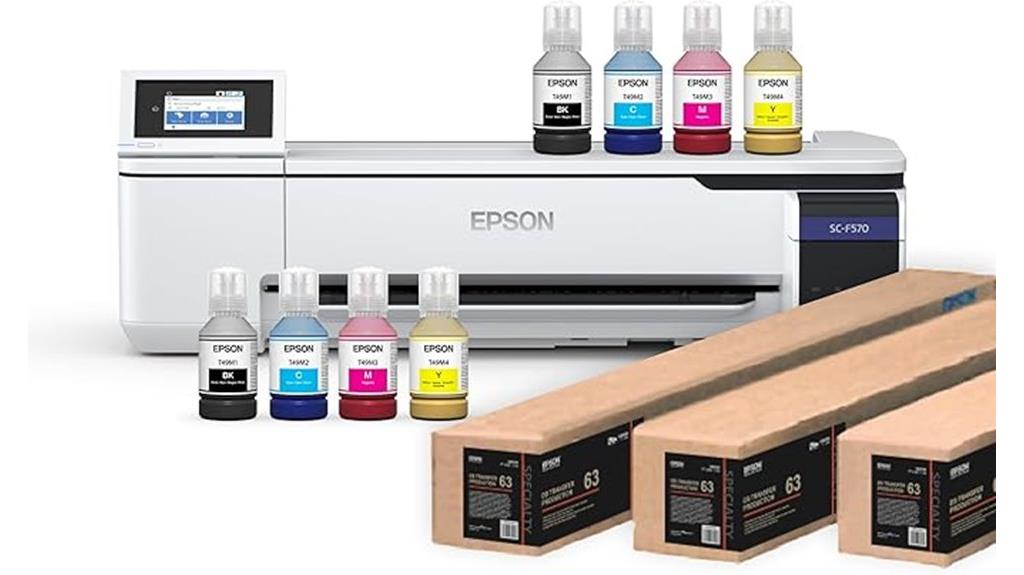
The Epson SureColor F570 Pro 24 Desktop Sublimation Printer stands out as an excellent choice for small businesses and hobbyists seeking high-quality, versatile sublimation printing. It features a PrecisionCore MicroTFP printhead that delivers crisp, detailed images at up to 2400×1200 dpi, ensuring vibrant, professional results. Its compact design fits easily on desktops and includes a large 4.3-inch touchscreen for simple operation. Supporting media up to 24 inches wide with roll media and a 50-sheet auto-feed tray, it’s perfect for various projects. Reliable and easy to use, it also offers flexible connectivity options like USB, Ethernet, and wireless, making it a top contender in 2025.
Best For: small businesses and hobbyists seeking high-quality, versatile sublimation printing with professional results.
Pros:
- Delivers crisp, detailed images at up to 2400×1200 dpi for vibrant, high-resolution prints
- Compact and sleek design that fits easily on desktops, saving workspace
- Supports media up to 24 inches wide with roll media and a 50-sheet auto-feed tray for versatile applications
Cons:
- Some users report damage during shipping, requiring careful handling
- Noise levels during operation can be noticeable, potentially disturbing in quiet environments
- Limited to print-only functions with duplex printing disabled, reducing certain workflow options
Sawgrass SG1000 Sublimation Printer Starter Bundle
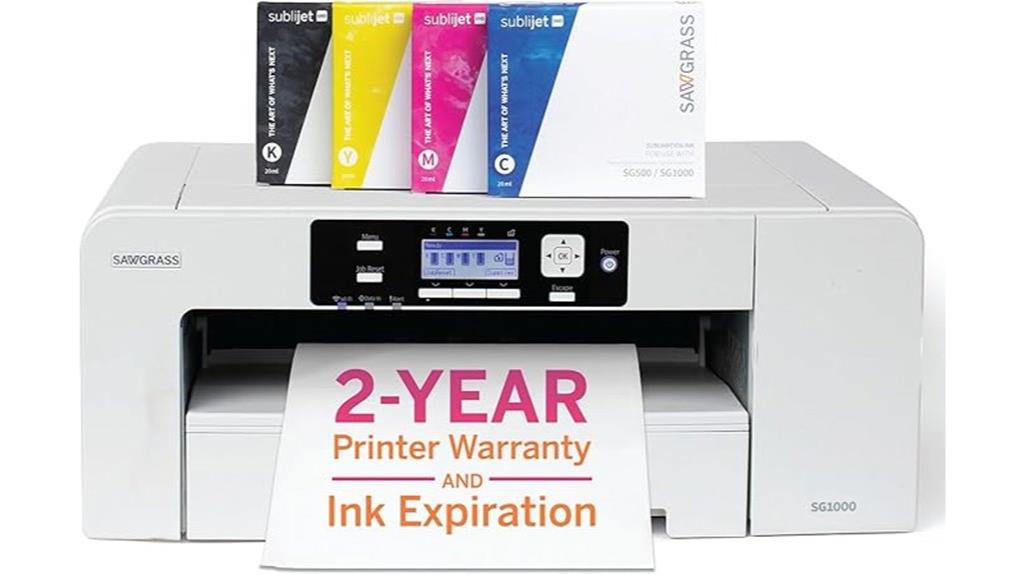
Designed for expanding businesses and passionate creators, the Sawgrass SG1000 Sublimation Printer Starter Bundle stands out with its professional print size of up to 11”x17”. It delivers sharp, vibrant images with a resolution of 1200×1200 dpi, ideal for banners, signage, apparel, and promotional items. The bundle includes a complete set of dye-based inks, Wi-Fi connectivity, and auto-maintenance to prevent clogs. While it offers reliable quality and support, users report early ink depletion and high ongoing costs. setup can be challenging, especially with software progressions, but its versatility makes it a strong choice for serious sublimation projects.
Best For: entrepreneurs and small businesses seeking a professional-grade sublimation printer capable of producing vibrant, high-quality banners, signage, apparel, and promotional items.
Pros:
- High-resolution printing at 1200×1200 dpi ensures sharp, vivid images.
- Supports media up to 11”x17”, suitable for a variety of creative projects.
- Includes auto-maintenance features that help prevent clogs and reduce downtime.
Cons:
- Early ink depletion leads to higher ongoing costs and frequent replacements.
- Software updates and transitions can cause setup difficulties and workflow inefficiencies.
- High ink and consumable costs, with some users experiencing printer lockouts if unauthorized ink is used.
Factors to Consider When Choosing Sublimation Printers for Textiles
When choosing a sublimation printer for textiles, I consider factors like fabric compatibility and ink quality to guarantee vibrant, lasting results. Print size capabilities and ease of software use also matter, as they affect workflow and project scope. Additionally, I look at how simple it is to refill ink to keep production smooth and efficient.
Compatibility With Fabrics
Choosing the right sublimation printer for textiles depends heavily on fabric compatibility, as not all printers can handle the specific media or coatings needed for successful transfers. Sublimation works best on polyester or polymer-coated fabrics because the dye bonds with synthetic fibers during heat transfer, producing vibrant, durable images. Natural fabrics like cotton generally don’t work well unless pre-coated with polyester, which adds complexity and cost. For ideal results, fabrics should contain at least 60% polyester, with higher levels delivering more vivid, long-lasting prints. Compatibility involves not just fabric type but also media size and coating requirements. Many sublimation printers can’t print directly on fabrics, relying instead on sublimation paper and heat presses to transfer images onto suitable textile surfaces.
Ink Type and Quality
The quality of the inks you use directly impacts the vibrancy, sharpness, and durability of your textile prints. High-quality dye-sublimation inks are essential because they deliver consistent color saturation, high contrast, and crisp image clarity. Genuine sublimation inks are specially formulated for heat transfer, ensuring vibrant results on suitable fabrics. Refillable ink bottles with auto-stop technology help prevent leaks and messes during refilling, making the process cleaner and more efficient. It’s crucial to avoid low-quality or incompatible inks, as they can cause poor color reproduction, uneven transfers, or even damage your printer’s print head. Investing in the right ink type guarantees that your prints will look professional and last longer, making it a vital factor when selecting a sublimation printer for textiles.
Print Size Capabilities
Selecting a sublimation printer with the right print size capabilities is vital for meeting your textile project needs. You need to confirm the printer supports the maximum media size required, like 8.5×11 inches or larger, especially for apparel and home decor. Borderless printing is a key feature, allowing seamless designs without margins that can detract from the final product. Check that the resolution, typically around 1200-2400 dpi, offers enough detail and vibrancy for your transfers. Compatibility with sublimation transfer paper is essential, and the printer should handle both soft textiles and rigid surfaces. Additionally, consider the input sheet capacity to match your production volume, so you won’t be constantly reloading paper and can maintain an efficient workflow.
Software and Interface
A user-friendly interface is essential for streamlining your workflow and reducing the learning curve when working with sublimation printers for textiles. Intuitive navigation helps you quickly access settings, adjust color calibration, and select media without hassle. Compatibility with popular design software and mobile apps allows seamless creation, editing, and transfer of images, saving time and effort. Touchscreen controls and clear menu layouts make it easy to modify print settings on the fly, eliminating the need for external devices. Wireless connectivity options like Wi-Fi or Bluetooth enable remote printing, enhancing efficiency and flexibility in production. Features such as color management tools, template libraries, and print preview options ensure accurate color reproduction and consistent results, giving you confidence in every print.
Ease of Ink Refill
Choosing a sublimation printer with easy ink refill features can save you time and reduce messes during maintenance. I look for models with high-capacity, cartridge-free ink tanks that have auto-fill nozzles, making refills quick and clean. It’s important that the ink bottles are compatible with the printer’s system to prevent leaks and spills. Transparent or clearly marked tanks help me monitor ink levels without opening the system, saving me from unnecessary hassle. I also prefer printers with auto-stop technology in their ink bottles, which prevents overfilling and waste. Refill procedures should be straightforward, avoiding the need for syringes or squeezing bottles, as this minimizes user error and speeds up maintenance. These features ensure a smooth, mess-free experience with less downtime.
Cost and Maintenance
When evaluating sublimation printers for textiles, understanding the balance between initial costs and ongoing maintenance is essential. The upfront price can range from under $300 for entry-level models to over $1,000 for professional-grade options. Maintenance involves regular cleaning of print heads and nozzles to prevent clogs, which can take time and add supplies costs. Refillable ink tanks tend to be more economical long-term compared to cartridge-based systems, saving money on ink. Some printers require specific cleaning routines or software updates, increasing ongoing efforts and expenses. Proper upkeep and using genuine supplies help maintain consistent print quality and extend the printer’s lifespan, ultimately reducing replacement costs. Considering both initial investment and maintenance needs guarantees you choose a printer that’s cost-effective and reliable for long-term use.
Frequently Asked Questions
What Is the Maximum Print Size Supported by These Sublimation Printers?
Most sublimation printers I’ve looked into support print sizes up to 13×19 inches, which is perfect for larger textiles like banners and shirts. Some high-end models can even handle wider formats, up to 24 inches, giving you more versatility. It really depends on your specific needs, but I recommend checking each model’s specifications to guarantee it fits your project size requirements before making a purchase.
How Long Do the Sublimation Inks Typically Last Before Needing Replacement?
Oh, the timeless question of ink longevity! I’d say sublimation inks usually last around 6 to 12 months before needing a replacement, but it depends on usage and storage. If you’re printing heavily or leaving inks exposed to air, they might dry out faster. So, don’t wait too long—keep your inks fresh to guarantee those vibrant, high-quality prints stay exemplary for as long as possible.
Are These Printers Compatible With Both Windows and Mac Operating Systems?
Yes, most of these sublimation printers are compatible with both Windows and Mac operating systems. I’ve checked their specifications, and they generally support multiple platforms, making setup straightforward. You might need to download specific drivers or software, but overall, these printers offer flexible compatibility. I recommend confirming the exact model’s compatibility before purchasing to guarantee smooth integration with your computer system.
What Are the Typical Maintenance Requirements for These Sublimation Printers?
I find that these sublimation printers need regular maintenance to keep them performing at their best. I clean the print heads weekly with manufacturer-recommended solutions and run test prints to check for clogs or color inconsistencies. It’s also essential to keep the ink cartridges filled and keep the printer covered when not in use to prevent dust buildup. Proper maintenance guarantees vibrant, high-quality prints every time.
Can These Printers Handle Custom or Non-Standard Fabric Materials?
Absolutely, these printers can handle custom or non-standard fabrics, but you’ll want to check compatibility first. Imagine creating a vibrant design on a delicate, unconventional material—exciting, right? While most printers excel with standard textiles, some models are versatile enough for unique fabrics if you adjust heat and ink settings. Just remember, testing is key to perfect results and avoiding surprises.
Conclusion
So, there you have it—your ticket to vibrant, high-quality textile prints, or a one-way trip to the land of endless ink refills and jammed trays. Whether you choose a sleek Brother or a daring Sawgrass, just remember: the right printer turns your creative dreams into reality, not into a tangled mess of fabric and frustration. Happy printing! Now go conquer the textile world, one vibrant mug or T-shirt at a time.