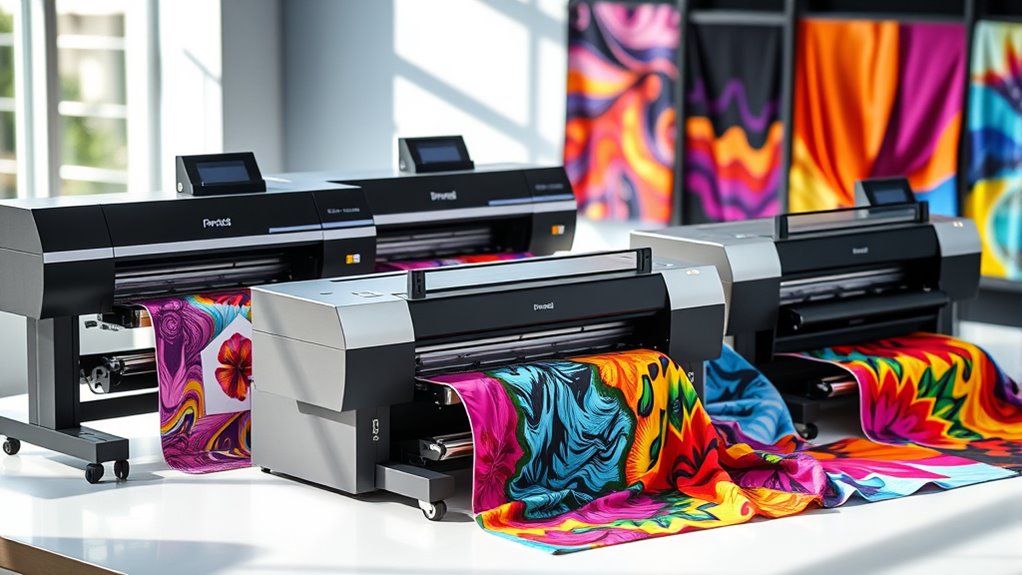

Finding the right sublimation printer for textiles can be challenging due to the range of options available, each with different features and tradeoffs. The Brother SP-1 stands out as a solid all-around choice for beginners, offering a complete starter bundle with everything needed to start printing right away. The Epson SureColor F170 is better suited for those seeking professional quality with reliable performance, while the Sawgrass SG500 offers a balance of ease of use and affordability. Readers should consider factors like print size, ink cost, and ease of maintenance—these are often the key tradeoffs in choosing a sublimation printer. Continue reading for a detailed breakdown of each option and how they compare to meet different needs.

Get your wardrobe favorites delivered free with Prime
- Fast, free delivery on millions of items
- Prime Video, Amazon Music and more included
- Member-only deals all year
Key Takeaways
- The top-tier printers like the Epson SureColor F170 excel in print quality and durability for professional use.
- Bundles that include starter kits and supplies, such as the Brother SP-1, provide better value for beginners.
- Print size and speed vary significantly; larger models like the SG1000 are suited for high-volume production.
- Ink costs and availability are critical; some brands offer refillable bottles that reduce long-term expenses.
- Ease of setup and user interface can make a big difference, especially for those new to sublimation printing.
| Brother SP-1 Sublimation Printer Starter Bundle with Full Ink Set, 160 Sublimation Transfer Sheets, 50 Blanks, Tape and More |  | Best Overall for Beginners and Hobbyists | Printer Model: Brother SP-1 | Inks: CMYK, 47ml each | Sublimation Paper: 160 sheets | VIEW ON AMAZON | See Our Full Breakdown |
| Epson SureColor F170 Dye-Sublimation Printer |  | Best for High-Quality, Space-Saving Printing in Small Studios | Print Format: 8.5″ x 11″ | Media Support: Auto-feed tray, dust-resistant | Included: Genuine Epson sublimation ink | VIEW ON AMAZON | See Our Full Breakdown |
| 13″ R1390 DTF Printer with Curing Oven Bundle for T-Shirt Printing |  | Best for Versatile Textile and DTF Transfers | Printer Type: Inkjet | Print Media: Fabric | Maximum Media Size: 13 x 19 inch | VIEW ON AMAZON | See Our Full Breakdown |
| Sawgrass SG500 Sublimation Printer, 31 mL Inks and Paper Bundle |  | Best for Professional-Quality Small-Scale Sublimation | Print Size: up to 8.5″ x 14″ | Inkset: SubliJet UHD | Connectivity: Wi-Fi | VIEW ON AMAZON | See Our Full Breakdown |
| Epson SureColor F170 Dye-Sublimation Printer with Ink and Starter Kit |  | Best for Versatile, High-Quality Transfers on Textiles and Rigid Surfaces | Print Technology: Dye-Sublimation | Print Head: PrecisionCore | Included Ink: Full set of OEM Epson sublimation ink | VIEW ON AMAZON | See Our Full Breakdown |
| Hiipoo Sublimation Ink Refilled Bottles for Compatible Printers |  | Best Value for Versatile Ink Compatibility | Included Items: 1x127ml black, 1x70ml cyan, 1x70ml magenta, 1x70ml yellow | Compatibility: Various Epson, Stylus, and WorkForce printers | Color: Vibrant, intense colors | VIEW ON AMAZON | See Our Full Breakdown |
| Brother Sublimation Printer |  | Best for Easy DIY Sublimation Projects | Compatibility: Artspira app | Power Supply: 120 volts (US only) | Uses: Sublimation printing on polyester-coated items | VIEW ON AMAZON | See Our Full Breakdown |
| Sawgrass VersiFlex SG1000 Printer, Ink and Transfer Paper Bundle |  | Best for Professional-Quality Porous Material Printing | Printer Model: SG1000 | Ink Cartridges: 31ml VersiFlex ink (4 pack) | Transfer Paper: 50 sheets of VersiFlex Light Heat Transfer Paper | VIEW ON AMAZON | See Our Full Breakdown |
| Epson SureColor F170 Dye-Sublimation Printer |  | Best for Compact, High-Quality Color Output | Printer Type: Dye Sublimation | Other Special Features: Network-Ready | Output Type: Color | VIEW ON AMAZON | See Our Full Breakdown |
More Details on Our Top Picks
Brother SP-1 Sublimation Printer Starter Bundle with Full Ink Set, 160 Sublimation Transfer Sheets, 50 Blanks, Tape and More
The Brother SP-1 Starter Bundle stands out for its comprehensive package, combining a dye-sublimation printer, full set of inks, large supply of transfer sheets, blanks, and design software. Compared with the Sawgrass SG500, this bundle offers more inclusions at a similar price point, making it ideal for those just starting out. However, the setup can be somewhat complex for absolute beginners, and the system is limited to sublimation-compatible materials only. The wireless connectivity and included accessories mean less hassle for small-scale production, but the initial investment may be steep for casual users. Ultimately, this model makes the most sense for hobbyists or small businesses seeking a complete starter kit that covers most needs without requiring multiple purchases.
Pros:- Includes extensive accessories, inks, and transfer sheets in one package
- Wireless connectivity for flexible placement and printing
- Suitable for vibrant, full-color designs on various materials
Cons:- High initial cost compared to basic printers
- Requires some learning curve for setup and operation
- Limited to sublimation materials, not versatile for other printing types
Best for: Beginners, hobbyists, or small businesses looking for an all-in-one sublimation starter kit
Not ideal for: Casual users or those with very limited budgets, as the total bundle cost can be high and setup is not entirely straightforward
- Printer Model:Brother SP-1
- Inks:CMYK, 47ml each
- Sublimation Paper:160 sheets
- Blanks:50 sublimation blanks
- Tape:4 rolls of heat-resistant tape
- Connectivity:Wi-Fi & Ethernet
Our verdict“This pick is best suited for hobbyists or small businesses needing a complete, ready-to-use sublimation setup with minimal additional purchases.”
Epson SureColor F170 Dye-Sublimation Printer
The Epson SureColor F170 is a compact, high-performance dye-sublimation printer that excels in delivering crisp, vibrant images with minimal fuss. Its PrecisionCore printhead and genuine Epson inks ensure consistent high-quality output, making it a strong choice over the Sawgrass SG500 for those prioritizing precision and durability. The setup is straightforward, and its dust-resistant tray minimizes maintenance, but once inks are loaded, they cannot be returned or replaced easily—requiring careful handling. It is limited solely to sublimation printing, so users needing versatility should look elsewhere. This model suits small studios or serious hobbyists who want reliable, professional results in a smaller footprint.
Pros:- High-quality, vibrant print output with PrecisionCore technology
- Compact design saves space in small setups
- Includes a full set of OEM sublimation inks for immediate use
Cons:- Inks are non-returnable and must be handled carefully
- Limited to sublimation printing only
- Higher initial investment compared to entry-level models
Best for: Small studios or serious hobbyists focused on high-quality textile and product printing
Not ideal for: Casual crafters or users who need multi-functional printers, due to its specialized sublimation focus
- Print Format:8.5″ x 11″
- Media Support:Auto-feed tray, dust-resistant
- Included:Genuine Epson sublimation ink
- Connectivity:Mac & Windows
- Warranty:Full manufacturer support
Our verdict“Ideal for small, dedicated print spaces that demand professional-level sublimation quality with a compact footprint.”
13″ R1390 DTF Printer with Curing Oven Bundle for T-Shirt Printing
The R1390 DTF Printer with curing oven targets those interested in high-quality T-shirt printing with a versatile approach. Compared to sublimation-only options like the Sawgrass SG500, this setup supports direct-to-fabric (DTF) printing, offering broader media compatibility and the ability to print on a variety of textiles and surfaces. The automatic ink setup and integrated maintenance features reduce downtime, but the print speed of 1.2 pages per minute may be limiting for larger production runs. The complexity of handling white ink and curing processes can be daunting for beginners, yet the bundled curing oven streamlines post-print processing. This system is best suited for users who want a flexible, high-quality textile printing solution that goes beyond sublimation alone.
Pros:- Automatic ink setup simplifies initial operation
- Supports a wide range of fabrics and media sizes
- Built-in maintenance features extend equipment lifespan
Cons:- Slower print speed may hinder high-volume workflows
- Handling white ink and curing requires careful attention
- More complex setup and operation compared to sublimation-only printers
Best for: Artists and small businesses wanting a versatile system for T-shirts, hats, and accessories
Not ideal for: Beginners or users seeking simple, low-maintenance sublimation-only printers
- Printer Type:Inkjet
- Print Media:Fabric
- Maximum Media Size:13 x 19 inch
- Print Resolution:2880*1440dpi
- Additional Features:Auto cleaning, white ink circulation
- Supported Applications:T-shirts, hats, shoes
Our verdict“This system offers excellent versatility for textile printing enthusiasts who want a high-quality, all-in-one solution with additional curing capabilities.”
Sawgrass SG500 Sublimation Printer, 31 mL Inks and Paper Bundle
The Sawgrass SG500 is a compact, professionally oriented sublimation printer that produces vibrant, high-definition images suitable for a variety of products. Its SubliJet UHD inkset and dedicated software provide excellent color control and consistency, making it better suited for small business production than general hobby use. Compared to the Brother SP-1, the SG500 offers a more streamlined, user-friendly experience, especially with its auto-maintenance features. However, its limited media size support—up to 8.5″ x 14″—can restrict larger projects, and the initial cost of inks and paper adds up. This printer is best for entrepreneurs focused on producing high-quality, small-format sublimation items like mugs, shirts, and signage efficiently.
Pros:- Produces vibrant, detailed, high-definition prints
- Compact, space-efficient design fits small workspaces
- User-friendly software simplifies color management
Cons:- Limited to media sizes up to 8.5″ x 14″
- Additional inks and paper can increase overall costs
- Requires specific sublimation inks and paper for best results
Best for: Small business owners or professional hobbyists producing high-quality sublimation products
Not ideal for: Users needing to print larger items or seeking a budget-friendly, beginner-oriented machine
- Print Size:up to 8.5″ x 14″
- Inkset:SubliJet UHD
- Connectivity:Wi-Fi
- Included Inks:31 mL Inks
Our verdict“This printer excels for professionals producing small, high-quality sublimation items in limited space, though at a higher ongoing cost.”
Epson SureColor F170 Dye-Sublimation Printer with Ink and Starter Kit
The Epson SureColor F170 offers a professional-grade dye-sublimation experience, suitable for a variety of applications from textiles to rigid surfaces. Its PrecisionCore printhead ensures sharp, vibrant images, and the included full set of OEM inks with the starter kit provides immediate readiness for production. Compared to the Brother SP-1, the F170 emphasizes higher quality and durability, especially with its certifications like OEKO-TEX. The closed tray system reduces mess, but the non-returnable inks and exclusive focus on sublimation mean it’s less adaptable for other printing needs. This model is ideal for users who need consistent, high-quality output for small to medium-sized projects and value durability and certification in their prints.
Pros:- Exceptional image quality with PrecisionCore technology
- Complete starter kit with inks and paper for immediate use
- Supports a wide range of media including textiles and rigid surfaces
Cons:- Inks are non-returnable once loaded, requiring careful handling
- Designed primarily for sublimation, limiting other print types
- Higher initial purchase price compared to entry-level models
Best for: Small to medium-sized professional operations that prioritize high-quality, versatile sublimation printing
Not ideal for: Casual hobbyists or those seeking a multi-purpose printer, due to its specialized sublimation focus
- Print Technology:Dye-Sublimation
- Print Head:PrecisionCore
- Included Ink:Full set of OEM Epson sublimation ink
- Paper Sizes:8.5″ x 11″ & 8.5″ x 14″
- Auto-Feed Tray:150 sheets
- Certifications:ECO PASSPORT by OEKO-TEX
Our verdict“Perfect for those seeking durable, high-quality sublimation transfers with a focus on versatility and professional results in small-scale production.”
Hiipoo Sublimation Ink Refilled Bottles for Compatible Printers
This sublimation ink set stands out for its wide compatibility with numerous Epson, Stylus, and WorkForce printers, making it a flexible choice for users who already have compatible devices or want to expand their options. Compared to dedicated sublimation printers like the Epson SureColor F170, this ink set is more affordable and adaptable, but it requires careful handling and is limited to fabrics with less than 30% cotton, which could restrict some projects. The vibrant, long-lasting colors delivered by these inks are ideal for DIY projects on mugs and T-shirts, especially for hobbyists on a budget. However, since it’s not suitable for non-compatible printers, users must verify their model first. This makes it a smart pick for crafters with existing inkjet printers who need reliable, vibrant dye sublimation inks without investing in a new machine.
Pros:- Wide compatibility with many inkjet printer models
- Vibrant, long-lasting color output
- Certified for high-quality standards (ISO-9001, MSDS)
Cons:- Limited to fabrics with less than 30% cotton content
- Requires careful handling of liquid inks
- Not compatible with non-listed printer models
Best for: Small business owners and hobbyists who already own compatible inkjet printers and want versatile, quality inks at a lower cost.
Not ideal for: Beginners without compatible printers or those focused on cotton-heavy fabrics, as this ink is designed for less than 30% cotton content.
- Included Items:1x127ml black, 1x70ml cyan, 1x70ml magenta, 1x70ml yellow
- Compatibility:Various Epson, Stylus, and WorkForce printers
- Color:Vibrant, intense colors
- Certification:ISO-9001, MSDS
Our verdict“This ink set provides a cost-effective, versatile option for experienced users with compatible printers focused on vibrant polyester or similar fabrics.”
Brother Sublimation Printer
The Brother Sublimation Printer is tailored for DIY enthusiasts seeking a straightforward entry into sublimation crafts. Its integration with the Artspira app makes design import and management accessible, especially for those new to sublimation. Compared to the Sawgrass SG1000, it offers a simpler setup and is more suited for small-scale projects like mugs, shirts, and bags. Its reliance on polyester-coated items and additional heat press equipment means it’s less flexible for broader surface types, but this keeps it user-friendly for beginners. The compact design and reliable brand reputation make it appealing for home crafters wanting quick, vibrant results without complex workflows. However, its US-only power requirements and hardware limitations mean it’s best for domestic use only.
Pros:- User-friendly interface with Artspira app integration
- Produces vibrant, durable prints suitable for various DIY projects
- Reliable Brother brand known for quality
Cons:- Requires separate heat press equipment (sold separately)
- Limited to polyester-coated items and small-scale projects
- Designed primarily for US market with voltage restrictions
Best for: Beginners and home crafters looking for an easy-to-use sublimation printer with integrated design tools.
Not ideal for: Professional shops requiring large-volume production or diverse surface compatibility, due to its limited media options and need for additional equipment.
- Compatibility:Artspira app
- Power Supply:120 volts (US only)
- Uses:Sublimation printing on polyester-coated items
- Includes:Brother Sublimation Ink
Our verdict“This printer is perfect for beginners seeking straightforward setup and vibrant results for small-scale, DIY sublimation projects.”
Sawgrass VersiFlex SG1000 Printer, Ink and Transfer Paper Bundle
The Sawgrass SG1000 bundle excels at producing vibrant, detailed images on porous surfaces like natural fibers and untreated wood, setting it apart from dedicated textile-focused printers like the Epson SureColor F170. Its use of the versatile VersiFlex inks and transfer paper simplifies the process, as no pre-treatment is required, and it offers a soft transfer feel that enhances finished products. This system is ideal for artisans and small businesses focusing on natural fiber crafts or decor, but it’s limited to porous materials, which narrows its scope compared to more general sublimation machines. The need for a pressure-adjustable heat press and the specific inks and papers may involve a learning curve and additional expense. Still, its professional finish justifies the investment for specialized projects.
Pros:- Vibrant, high-quality color output on porous materials
- No pre-treatment needed, streamlining workflow
- Soft feel transfers for a professional look
- Certified for safety and environmental standards
Cons:- Requires a pressure-adjustable heat press (not included)
- Limited to porous surfaces like natural fibers and untreated wood
- Specific to VersiFlex inks and transfer paper, reducing versatility
Best for: Small businesses and artisans creating high-end, natural-fiber or untreated wood products requiring vibrant, soft transfers.
Not ideal for: Users aiming for broad textile applications or working primarily with cotton or polyester fabrics, as it’s optimized for porous surfaces.
- Printer Model:SG1000
- Ink Cartridges:31ml VersiFlex ink (4 pack)
- Transfer Paper:50 sheets of VersiFlex Light Heat Transfer Paper
- Electrical Compatibility:110/120V US outlets
Our verdict“This system is best suited for professionals and artisans focused on natural fiber and wood projects that demand high-quality, vibrant results.”
Epson SureColor F170 Dye-Sublimation Printer
The Epson SureColor F170 offers a compact, professional-grade dye-sublimation solution with PrecisionCore printhead technology, standing out for its high-resolution output and reliable performance on 8.5″ x 11″ media. Unlike larger, more complex printers, it fits well into small studios or home setups seeking detailed, vibrant transfers. Its support for wireless and USB connections adds flexibility, and the large auto-feed tray enhances efficiency for small batch runs. Compared to the Sawgrass SG500, it’s more suited for users prioritizing high-quality color output in a confined space. However, its limited media size and the focus on sublimation mean it’s less adaptable for general printing or larger projects, making it a specialized tool for those with specific size needs.
Pros:- High-quality output with PrecisionCore technology
- Includes full set of sublimation inks and accessories
- Supports wireless and USB for flexible setup
- Large auto-feed tray boosts efficiency
Cons:- Limited to 8.5-inch media size
- No multi-function capabilities beyond printing
- Primarily designed for sublimation, limiting versatility
Best for: Small professional studios or serious hobbyists needing high-resolution, color-rich transfers on 8.5″ x 11″ media.
Not ideal for: Users requiring larger print sizes or multifunctional printers, as its media capacity and functions are limited to print only.
- Printer Type:Dye Sublimation
- Other Special Features:Network-Ready
- Output Type:Color
- Maximum Media Size:8.5 inches
- Connectivity:Wireless, USB, Ethernet
- Resolution:5760 x 1440
Our verdict“This compact printer is ideal for professionals needing high-resolution, vibrant transfers on small media without extra bulk.”

How We Picked
These products were selected based on their performance, usability, build quality, and value for textile sublimation. We prioritized printers that deliver consistent, high-quality prints, as well as those with manageable maintenance and affordable ink options. The ranking considers the versatility of each model—whether they suit hobbyists or commercial users—and the comprehensiveness of included accessories or bundles. Price-to-performance ratio played a key role, along with user reviews and brand reputation, to ensure each option offers a distinct advantage for different types of buyers.Factors to Consider When Choosing Sublimation Printers For Textiles
Choosing the right sublimation printer for textiles requires understanding several key factors. Beyond initial cost, consider the size of the print area, ongoing expenses like ink and maintenance, and the printer’s compatibility with your workflow. A good printer should balance quality, speed, and ease of use, especially if you’re starting out or scaling up a business. Avoid models that promise high quality but come with steep hidden costs, and pay attention to the availability of supplies in your region.Print Size and Speed
For textile applications, the maximum print size determines what projects you can handle, from small designs to large fabric panels. Larger printers like the SG1000 can produce bigger transfers but tend to cost more and require more space. Speed is also important if you plan to produce in volume; faster printers can keep up with demand without sacrificing quality. Consider your typical workload and space constraints before choosing a model that fits your needs.
Cost of Ink and Supplies
Ongoing expenses like ink and transfer paper significantly impact the overall value of a sublimation printer. Some brands, such as Sawgrass, offer refillable ink bottles that reduce long-term costs, but initial prices can be higher. Cheaper printers may have proprietary ink cartridges that run out quickly and are expensive to replace. Think about the availability of supplies in your area and whether bulk purchase options are accessible to keep expenses manageable.
Ease of Use and Maintenance
Ease of setup, user interface, and maintenance routines can influence your productivity, especially if you’re new to sublimation. Models with straightforward controls and automated cleaning features reduce downtime and frustration. Consider how often you’ll need to perform maintenance tasks and if replacement parts are easy to find. A user-friendly printer minimizes learning curves and helps maintain consistent results.
Compatibility and Software
Ensure the printer is compatible with your existing computer and design software. Some models come with dedicated software that simplifies color management and layout, which is crucial for achieving vibrant, accurate prints on textiles. Compatibility issues can cause headaches and waste material, so check the specifications and user reviews for insights into software integration and driver stability.
Build Quality and Support
Durable construction and reliable customer support are important for long-term satisfaction. A well-built machine withstands frequent use and minimizes breakdowns. Brands with strong customer service and readily available spare parts can save you money and time if issues arise. Investing in a reputable brand often translates into better overall durability and peace of mind.
Frequently Asked Questions
Can I use a regular inkjet printer for sublimation on textiles?
Using a standard inkjet printer for sublimation isn’t recommended because it lacks the specialized sublimation inks needed to bond with textiles. Sublimation printers are designed to handle dye-based inks that turn into gas when heated, transferring onto polyester fabrics or coated surfaces. Attempting to use regular inks will result in poor transfer quality and potential damage to your printer. For successful results, a dedicated sublimation printer with compatible inks is essential.
What’s the most cost-effective sublimation printer for someone starting out?
For newcomers, a model like the Brother SP-1 offers an excellent balance of affordability and comprehensive starter supplies, making it a cost-effective choice. It includes a full ink set, transfer sheets, and blanks, allowing you to begin printing immediately without additional purchases. While it may not handle large-volume jobs, it provides a reliable entry point without breaking the bank. As you grow, you can upgrade to higher-capacity or higher-end models if needed.
How important is print resolution for textile sublimation?
Print resolution directly impacts the vibrancy and detail of your textile designs. Higher resolutions, such as 1440 dpi or above, produce sharper images with more accurate color gradation, which is crucial for professional-quality results. However, higher resolution settings can slow down printing and increase ink consumption. For most textile work, a resolution of around 1200 dpi balances quality and efficiency well, ensuring your designs look vibrant without excessive costs.
Do I need a special workspace for a sublimation printer?
Yes, a dedicated, well-ventilated space helps manage the heat, fumes, and potential overspray associated with sublimation printing. While most printers run cleanly, the heat press and curing oven generate heat and require proper safety measures. A stable, dust-free environment with enough room for handling large fabrics and supplies can also prolong your equipment’s lifespan. Proper organization and safety precautions are worth investing in for consistent, high-quality results.
Can I print on dark-colored textiles with sublimation printers?
No, sublimation printing is limited to polyester fabrics or coated surfaces and works best on white or light-colored textiles. The dye-based inks become transparent when transferred, so they won’t produce vibrant images on dark fabrics. For printing on dark textiles, alternative methods like direct-to-garment (DTG) or heat transfer vinyl (HTV) are more suitable. Always match your printing method to the fabric color and material for best results.