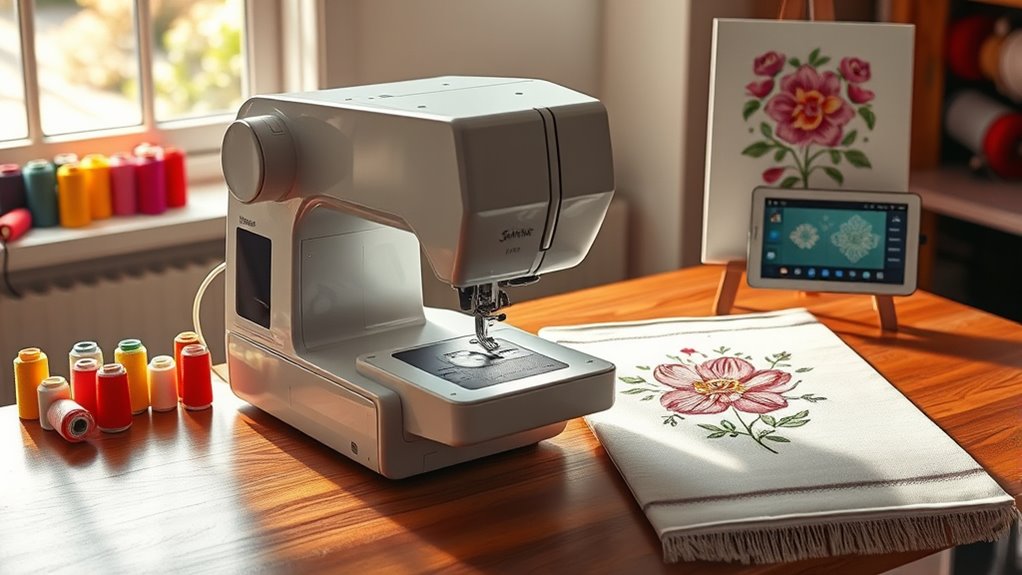

Choosing the right embroidery machine for your home studio depends on your needs, budget, and skill level. The Brother PE900 stands out as the best overall pick for its balance of features and ease of use, while the Poolin EOC06 offers excellent large-area embroidery at a competitive price. For beginners, the Poolin EOC05 provides a straightforward experience, but it lacks some advanced features found in higher-end models. Balancing performance, usability, and cost is the key challenge in this category. Continue reading for a detailed breakdown of each option to find your ideal fit.

Get your wardrobe favorites delivered free with Prime
- Fast, free delivery on millions of items
- Prime Video, Amazon Music and more included
- Member-only deals all year
Key Takeaways
- Top models like the Brother PE900 offer a great mix of advanced features and user-friendly interfaces, making them versatile for various project types.
- Large embroidery areas are available on select models like the Poolin EOC06, but they often come with higher price tags and more complex operation.
- Beginners should prioritize machines with simple interfaces, fewer automatic features, and straightforward maintenance routines.
- Wireless connectivity and design software compatibility are game-changers for streamlining workflow, especially in home studio setups.
- Price often correlates with feature set—investing in a slightly more expensive machine can significantly expand creative possibilities.
| Brother PE900 Wireless Embroidery Machine with WLAN |  | Best Overall for Versatile Embroidery Enthusiasts | Embroidery Area: 5″ x 7″ | Designs Included: 193 | Lettering Fonts: 13 (9 English, 3 Japanese, 1 Cyrillic) | VIEW ON AMAZON | See Our Full Breakdown |
| Brother PE545 Wireless Embroidery Machine 4×4 Hoop LCD |  | Best for Beginners and Small Projects | Embroidery Area: 4″ x 4″ | Built-in Designs: 135 | Built-in Fonts: 10 | VIEW ON AMAZON | See Our Full Breakdown |
| Brother Skitch Single-Needle Embroidery Machine Bluetooth |  | Best for Beginners and Personal Customization | Embroidery Area: 4″ x 4″ | Design Import Formats: PES, PHC, PHX, DST | Design Storage: up to 20 designs | VIEW ON AMAZON | See Our Full Breakdown |
| Embroidery Machine with 8 Needles, 7″ Touch Screen, 7.8″x11.8″ Embroidery Area |  | Best for Versatile Small Business & Enthusiasts | Needles: 8 | Touch Screen: 7 inches | Embroidery Area: 7.8″ x 11.8″ | VIEW ON AMAZON | See Our Full Breakdown |
| Poolin EOC06 Embroidery Machine Bundle, 7.9″ x 11″ Workspace, 80 Colors + 144 Bobbins |  | Best for Large Projects and Creative Flexibility | Embroidery Area: 7.9″ x 11″ | Colors Included: 80 | Bobbins Included: 144 | VIEW ON AMAZON | See Our Full Breakdown |
| Brother SE700 Sewing and Embroidery Machine, Wireless LAN, 4″ x 4″ Embroidery Field |  | Best Overall Versatility for Home Studios | Embroidery Field: 4″ x 4″ | Built-in Designs: 135 | Built-in Fonts: 10 | VIEW ON AMAZON | See Our Full Breakdown |
| Poolin EOC06 Large Hoop Embroidery Machine, 11 x 7.9 in Embroidery Area |  | Best for Large, Detailed Embroidery Projects | Max Embroidery Area: 11 x 7.9 inches | Hoops Included: 2 x 5.5″ x 5.5″, 1 x 7.9″ x 7.9″, 1 x 7.9″ x 11″ | Display: 7-inch color touch screen | VIEW ON AMAZON | See Our Full Breakdown |
| Poolin EOC05 Embroidery Machine for Beginners, 4 x 9.25 inch Embroidery Area |  | Best for Learning and Personal Projects | Embroidery Area: 4 x 9.25 inches | Touchscreen: 7-inch color | Control System: Institch OS2 | VIEW ON AMAZON | See Our Full Breakdown |
| Brother SE2000 Sewing and Embroidery Machine |  | Best for Hobbyists and Small-Scale Professionals | Embroidery Field: 5″ x 7″ | Built-in Designs: 190+ | Downloadable Designs: 50 | VIEW ON AMAZON | See Our Full Breakdown |
| PooLin EOC03 Embroidery Machine with 4×4 & 4×9.25 Inch Areas, WiFi Transfer, 130 Built-in Designs, for Beginners |  | Best for Entry-Level Creative Enthusiasts | Embroidery Area: 4×4 and 4×9.25 inches | Built-in Designs: 130 | WiFi Transfer: Yes | VIEW ON AMAZON | See Our Full Breakdown |
| Smartstitch S-1001 Upgraded Commercial Embroidery Machine with 10 Needles and 7-Inch Touch Screen |  | Best for Advanced Home Studios Needing Commercial-Grade Features | Needles: 10 | Max Speed: 1200 SPM | Touch Screen: 7 inches | VIEW ON AMAZON | See Our Full Breakdown |
| Brother SE700 Sewing and Embroidery Machine Bundle |  | Best for Combined Sewing and Embroidery with Large Screen | Embroidery Designs: 135 | Sewing Stitches: 103 | Touchscreen Size: 3.2 x 1.8 inches | VIEW ON AMAZON | See Our Full Breakdown |
| Brother SE700 Combo Embroidery & Sewing Machine with 4 Embroidery Hoops, Embroidery Thread Set & Accessories |  | Best for Extensive Accessory Bundle and Versatile Projects | VIEW ON AMAZON | See Our Full Breakdown | |||
| Brother SE700 Combo Embroidery & Sewing Machine with 4″ x 4″ Embroidery Hoop and 40+ Accessories |  | Best for Beginners and Small-Scale Projects | VIEW ON AMAZON | See Our Full Breakdown |
| embroidery machines for home studio | Connectivity | Embroidery Area |
|---|---|---|
| Brother PE900 Wireless Embroid | Wireless via Artspira App, USB | 5" x 7" |
| Brother PE545 Wireless Embroid | Wireless LAN, USB | 4" x 4" |
| Brother Skitch Single-Needle E | Bluetooth | 4" x 4" |
| Embroidery Machine with 8 Need | — | 7.8" x 11.8" |
| Poolin EOC06 Embroidery Machin | Wi-Fi, USB | 7.9" x 11" |
| Brother SE700 Sewing and Embro | Wireless LAN, USB | — |
| Poolin EOC06 Large Hoop Embroi | USB flash drive, Wireless LAN | — |
| Poolin EOC05 Embroidery Machin | WiFi and USB | 4 x 9.25 inches |
| Brother SE2000 Sewing and Embr | Wireless LAN, USB | — |
| PooLin EOC03 Embroidery Machin | — | 4×4 and 4×9.25 inches |
| Smartstitch S-1001 Upgraded Co | — | 9.5" x 14.2" |
| Brother SE700 Sewing and Embro | Wireless LAN | — |
| Brother SE700 Combo Embroidery | — | — |
| Brother SE700 Combo Embroidery | — | — |
More Details on Our Top Picks
Brother PE900 Wireless Embroidery Machine with WLAN
The Brother PE900 stands out for its combination of wireless connectivity, a sizable 5″ x 7″ embroidery area, and an intuitive touchscreen interface. Compared to the PE545, it offers more design flexibility and larger projects, making it ideal for serious hobbyists or small studios. However, it is an embroidery-only machine, which might be limiting for those wanting to sew as well. The wireless transfer via the Artspira app streamlines design import, but may require extra setup for less tech-savvy users. Its large embroidery area and extensive design library cater well to those wanting to create detailed, larger projects with convenience. The main tradeoff is that it doesn’t include sewing functions, making it less versatile for combined sewing and embroidery needs.
Pros:- Large 5″ x 7″ embroidery area for bigger projects
- Wireless design transfer via mobile app and USB
- User-friendly 3.7-inch touchscreen for editing and customization
- Includes 193 built-in designs and multiple fonts
Cons:- Embroidery-only, no sewing functions
- Requires US power supply, limited international usability
- Design transfer may involve extra software setup
Best for: Experienced embroidery enthusiasts seeking a wireless, large-area machine with extensive design options
Not ideal for: Seamstresses who want an all-in-one sewing and embroidery machine or beginners who prefer simpler setups
- Embroidery Area:5″ x 7″
- Designs Included:193
- Lettering Fonts:13 (9 English, 3 Japanese, 1 Cyrillic)
- Touchscreen:3.7-inch LCD
- Connectivity:Wireless via Artspira App, USB
Our verdict“This machine is a top choice for experienced embroiderers who need a large workspace and wireless convenience, but not for those seeking sewing capabilities or beginner-friendly simplicity.”
Brother PE545 Wireless Embroidery Machine 4×4 Hoop LCD
The Brother PE545 offers a compact, wireless embroidery solution with a 4″ x 4″ hoop, making it well-suited for small, personal projects. Its 135 built-in designs and color touchscreen make editing straightforward, similar to the PE900 but on a smaller embroidery area. Unlike the PE900, it lacks the larger workspace but compensates with a more affordable price point, making it an attractive entry-level choice. The wireless transfer from PC or mobile simplifies design loading, though it requires a wireless network, which could be a barrier for some users. Its ease of use and compact size make it perfect for hobbyists or those with limited space, but it isn’t suited for larger or more complex projects due to its size constraints.
Pros:- Wireless file transfer from PC and mobile devices
- Color touchscreen for easy editing and preview
- Includes a variety of designs and fonts
- Compact and lightweight for small spaces
Cons:- Limited to 4″ x 4″ embroidery area
- No sewing functions included
- Requires a wireless network for full features
Best for: Beginners or hobbyists who want a compact, easy-to-use embroidery machine with wireless features
Not ideal for: Experienced embroiderers needing larger projects or combined sewing functions
- Embroidery Area:4″ x 4″
- Built-in Designs:135
- Built-in Fonts:10
- Touchscreen Size:3.7 inches
- Connectivity:Wireless LAN, USB
Our verdict“Ideal for beginners or small project enthusiasts seeking a straightforward, wireless embroidery machine with a manageable workspace.”
Brother Skitch Single-Needle Embroidery Machine Bluetooth
The Brother Skitch stands out as a compact, user-friendly embroidery machine tailored for beginners, especially those focused on personal projects like clothing or home textiles. Its 4″ x 4″ embroidery area is suitable for small, detailed designs, and the Bluetooth connectivity allows easy import via the Artspira app. While it doesn’t include sewing functions or extensive design storage, its simplicity and portability make it an appealing choice for hobbyists just starting out or those with limited space. Compared to larger machines like the Poolin EOC06, it sacrifices size for ease of use, but that means fewer design options and limited capacity for complex projects. Its straightforward setup and design import process are strong points for new users.
Pros:- Easy to use with Bluetooth connectivity
- Compact size fits small craft spaces
- Allows importing custom designs via Artspira app
- Suitable for personalizing clothing and textiles
Cons:- Limited to 4″ x 4″ embroidery area
- No sewing capabilities included
- Limited design storage (up to 20 designs)
Best for: Beginners seeking a straightforward, Bluetooth-enabled embroidery device for small-scale projects
Not ideal for: Users wanting to undertake large embroidery projects or combine sewing and embroidery functions
- Embroidery Area:4″ x 4″
- Design Import Formats:PES, PHC, PHX, DST
- Design Storage:up to 20 designs
- Speed:up to 400 spm
- Connectivity:Bluetooth
Our verdict“This machine is perfect for beginners wanting a simple, Bluetooth-enabled embroidery tool for small projects and personal customization.”
Embroidery Machine with 8 Needles, 7″ Touch Screen, 7.8″x11.8″ Embroidery Area
This multi-needle embroidery machine offers a 7.8″ x 11.8″ workspace, making it suitable for a wide variety of materials including caps, shirts, and leather. Its 8-needle setup allows for automatic color changes and thread trimming, streamlining complex projects and reducing manual effort. While this is a step up in automation compared to single-needle models like the Skitch or PE545, it can be more complex for complete beginners to operate without prior experience. The 7-inch touchscreen provides clear design editing, but the price and learning curve may be a hurdle for hobbyists new to embroidery. Compared to the Poolin EOC06, it offers more automation and better suited for small business use, though it might be overkill for purely personal projects.
Pros:- 8 needles for automatic color changes and threading
- Large 7.8″ x 11.8″ embroidery area
- 7-inch touchscreen for design editing
- Automated features save time on complex projects
Cons:- More complex to operate for newcomers
- Higher price point and maintenance needs
- Potentially overpowered for basic home use
Best for: Small business owners or advanced hobbyists looking for automation and larger embroidery capacity
Not ideal for: Complete beginners or those with limited space who prefer simpler, single-needle machines
- Needles:8
- Touch Screen:7 inches
- Embroidery Area:7.8″ x 11.8″
- Material Compatibility:Caps, shirts, leather
- Threading:Automatic
Our verdict“This multi-needle machine suits small-scale professional or advanced hobbyist embroidery, offering automation but requiring a learning curve.”
Poolin EOC06 Embroidery Machine Bundle, 7.9″ x 11″ Workspace, 80 Colors + 144 Bobbins
The Poolin EOC06 offers a generous 7.9″ x 11″ embroidery area, ideal for larger projects like apparel, home décor, or detailed artwork. Its large touchscreen simplifies design adjustments, and the inclusion of 80 thread colors and 144 bobbins provides a wide palette for creative expression. Compared with the smaller PE545, it supports bigger projects, but its complexity and higher price may be daunting for complete beginners. The machine’s Wi-Fi and USB transfer options make it flexible, though setup might be more involved than smaller models. This pick makes the most sense for those who want to expand their embroidery projects without sacrificing ease of use entirely, but it’s less suited for casual hobbyists or those with limited space.
Pros:- Large 7.9″ x 11″ embroidery area for bigger projects
- Includes 80 thread colors and 144 bobbins for variety
- User-friendly touchscreen for editing
- Supports Wi-Fi and USB design transfer
Cons:- More complex setup and operation
- Higher cost and maintenance
- Potentially overpowered for small or casual projects
Best for: Enthusiasts or small business owners wanting a large embroidery area and extensive thread options
Not ideal for: Beginners seeking a simple, low-cost machine or users with minimal space
- Embroidery Area:7.9″ x 11″
- Colors Included:80
- Bobbins Included:144
- Thread Length:800M per color
- Connectivity:Wi-Fi, USB
Our verdict“This machine is best for dedicated embroidery enthusiasts or small business users aiming for larger, more complex designs with a broad color palette, but it’s not ideal for beginners or tight spaces.”
Brother SE700 Sewing and Embroidery Machine, Wireless LAN, 4″ x 4″ Embroidery Field
The Brother SE700 stands out for combining both sewing and embroidery functions in a single, compact machine, making it ideal for home studios that need flexibility. Its 135 built-in designs and 10 fonts, coupled with a large 3.7-inch color touchscreen, provide easy access to customization. While its 4″ x 4″ embroidery area is smaller than dedicated embroidery-only models like the Poolin EOC06, the SE700 excels for users who want to switch seamlessly between sewing and embroidery without multiple machines. The wireless connectivity simplifies design transfer but requires a stable network, and the learning curve might be steep for absolute beginners. Compared to the Brother SE2000, it offers fewer design options but remains a practical choice for those wanting an all-in-one device with a user-friendly interface.
Pros:- Combines sewing and embroidery in one machine, saving space
- Large, easy-to-use 3.7-inch color touchscreen for design editing
- Wireless connectivity for quick design transfer
- Includes a variety of built-in designs and fonts
Cons:- Limited embroidery area of only 4″ x 4″
- Complex features may be overwhelming for beginners
- Requires wireless network for full functionality
Best for: Home sewists who want a versatile machine for both sewing and embroidery without extra clutter
Not ideal for: Pure embroidery enthusiasts seeking the largest embroidery area or specialized embroidery features
- Embroidery Field:4″ x 4″
- Built-in Designs:135
- Built-in Fonts:10
- Sewing Stitches:103
- Auto Buttonholes:10 styles
- Touchscreen:3.7-inch LCD color
- Connectivity:Wireless LAN, USB
- Work Area:6.4″ x 4.0″
Our verdict“This machine suits home users wanting an all-in-one sewing and embroidery solution with moderate design capacity.”
Poolin EOC06 Large Hoop Embroidery Machine, 11 x 7.9 in Embroidery Area
The Poolin EOC06 is designed specifically for embroidery, offering a substantial 11 x 7.9-inch workspace that surpasses many home models like the Poolin EOC05. Its 7-inch color touch screen makes design selection and editing straightforward, which is especially beneficial for users working on larger or more complex patterns. The extensive built-in library and multiple hoops support various project sizes, but the machine’s focus on embroidery alone might limit its utility for those also needing sewing capabilities. Its support for wireless and USB transfer adds convenience, yet some users may find the software learning curve a bit steep if unfamiliar with digitizing tools. Compared to smaller models, this machine is ideal for dedicated embroidery projects that demand space and detail.
Pros:- Massive 11 x 7.9-inch embroidery area for large projects
- Intuitive 7-inch color touch screen for easy operation
- Includes multiple hoops and built-in designs for versatility
- Wireless and USB support for simple design transfer
Cons:- Limited to embroidery functions, no sewing capabilities
- Requires some familiarity with embroidery software
- Higher cost and size may be less suitable for small studios
Best for: Enthusiasts and small business owners who prioritize large embroidery areas and detailed designs
Not ideal for: Home hobbyists seeking a combined sewing and embroidery machine or smaller, space-saving options
- Max Embroidery Area:11 x 7.9 inches
- Hoops Included:2 x 5.5″ x 5.5″, 1 x 7.9″ x 7.9″, 1 x 7.9″ x 11″
- Display:7-inch color touch screen
- Built-in Designs:200
- Included Accessories:6 rolls of polyester thread, pre-wound bobbins, stabilizers, needles
- Connectivity:USB flash drive, Wireless LAN
Our verdict“This machine is perfect for serious embroidery enthusiasts needing large, detailed designs and ample workspace.”
Poolin EOC05 Embroidery Machine for Beginners, 4 x 9.25 inch Embroidery Area
The Poolin EOC05 caters specifically to beginners, offering a wider 4 x 9.25-inch embroidery area that is ideal for larger personal projects. Its 7-inch color touchscreen makes design adjustments accessible, and the included free software simplifies the process for newcomers. Compared with more advanced models like the Brother SE2000, it lacks sewing functions but excels in ease of use and dedicated embroidery features. The machine’s straightforward interface and tutorials support new users, but its limited embroidery area might restrict larger or more complex projects. It’s a sensible pick for those just starting out or focusing solely on embroidery for home crafts.
Pros:- Large 4 x 9.25-inch embroidery area for bigger projects
- Intuitive 7-inch touchscreen for easy design management
- Supports WiFi and USB for flexible design transfer
- Includes free design software and tutorials
Cons:- Embroidery-only machine, no sewing option
- Limited to personal use, not suitable for commercial projects
- Embroidery size may be restrictive for very large designs
Best for: Beginners and home users learning embroidery without needing sewing functions
Not ideal for: Experienced hobbyists looking for advanced features or larger embroidery areas
- Embroidery Area:4 x 9.25 inches
- Touchscreen:7-inch color
- Control System:Institch OS2
- Connectivity:WiFi and USB
- Software:Free embroidery design software
Our verdict“This machine is ideal for beginners seeking straightforward embroidery capabilities with room for growth at home.”
Brother SE2000 Sewing and Embroidery Machine
The Brother SE2000 offers a compelling combination of sewing and embroidery with a focus on larger design areas, featuring a 5″ x 7″ embroidery field and over 190 built-in designs. Its 3.7-inch color touchscreen allows easy editing, and the ability to download an additional 50 patterns via the Artspira app adds versatility. Unlike the Brother SE700, it provides a bigger embroidery area, making it suitable for more detailed or larger projects. While its advanced features like color sorting and jump stitch trimming boost efficiency, they may require some learning for new users. Its 120V US compatibility and extensive stitch options make it suitable for hobbyists and small business owners who need reliable performance and larger designs.
Pros:- Large 5″ x 7″ embroidery area for bigger projects
- Color touchscreen with editing capabilities
- Supports wireless design transfer and pattern downloads
- Extensive stitch library and design options
Cons:- Features can be complex for complete beginners
- Requires internet for app features and downloads
- Limited to 120V US power supply
Best for: Hobbyists and small-scale professionals needing larger embroidery fields and advanced features
Not ideal for: Complete beginners or users seeking a simple, entry-level embroidery-only machine
- Embroidery Field:5″ x 7″
- Built-in Designs:190+
- Downloadable Designs:50
- Built-in Stitches:241
- Connectivity:Wireless LAN, USB
- Warranty:25 years
Our verdict“This machine balances ease of use with advanced features, making it ideal for hobbyists ready to expand their embroidery projects.”
PooLin EOC03 Embroidery Machine with 4×4 & 4×9.25 Inch Areas, WiFi Transfer, 130 Built-in Designs, for Beginners
The PooLin EOC03 is tailored for newcomers to embroidery, offering two size options—4″ x 4″ and 4″ x 9.25″—to accommodate different projects. Its simple interface and 130 built-in designs make it accessible for beginners, and WiFi transfer support allows easy uploading of custom patterns. Compared with the Poolin EOC05, it provides more guided support and a starter kit, but with a smaller embroidery area, it may limit larger or complex designs. The inclusion of online tutorials further supports learning, though users should expect a learning curve when mastering design transfer and editing. This model is well-suited for those just starting out or focusing on small to medium projects at home.
Pros:- Multiple embroidery sizes for versatility
- User-friendly interface with guided tutorials
- WiFi transfer supports custom pattern uploads
- Includes a starter kit with essential tools
Cons:- Limited to basic embroidery sizes and features
- No sewing functions included
- Smaller embroidery area may restrict large designs
Best for: Beginner home users interested in learning embroidery with multiple size options
Not ideal for: Advanced users or those needing large-scale embroidery capacity
- Embroidery Area:4×4 and 4×9.25 inches
- Built-in Designs:130
- WiFi Transfer:Yes
- Included Accessories:Starter kit
- Design Software:Online tutorials
Our verdict“This machine offers a straightforward entry point into embroidery, ideal for beginners focusing on smaller projects at home.”
Smartstitch S-1001 Upgraded Commercial Embroidery Machine with 10 Needles and 7-Inch Touch Screen
The Smartstitch S-1001 stands out for its impressive 10-needle setup and advanced functions like auto thread trimming and laser positioning, making it ideal for home studios aiming for professional results. Unlike the simpler Brother SE700, which caters more to hobbyists, the S-1001 supports stitching on tougher materials like leather and denim, and its high stitch capacity means it can handle large projects efficiently. However, its complexity may pose a learning curve for beginners, and its setup requires space and technical familiarity. This machine is best suited for experienced home embroiderers or those transitioning to small-scale commercial work who value speed and versatility over immediate ease of use.
Pros:- Supports stitching on diverse materials including leather and canvas
- Features auto thread trimming, color changing, and laser positioning for efficiency
- High stitch capacity with up to 100 million stitches memory
Cons:- Requires technical knowledge and learning to operate effectively
- Larger setup space needed and potentially higher price point
Best for: Home studio owners with intermediate to advanced embroidery skills seeking high capacity and professional features
Not ideal for: Beginners or casual crafters who prefer simple, plug-and-play machines without a steep learning curve
- Needles:10
- Max Speed:1200 SPM
- Touch Screen:7 inches
- Embroidery Area:9.5″ x 14.2″
- Stitch Memory:up to 100 million stitches
- Features:Auto thread trimming, auto color changing, self-lubrication, thread break detection, laser embroidery positioning
Our verdict“This machine is an excellent choice for experienced hobbyists or small business owners needing professional-grade features in a compact form.”
Brother SE700 Sewing and Embroidery Machine Bundle
The Brother SE700 offers a versatile combo, combining 135 built-in embroidery designs with 103 sewing stitches, making it ideal for home users who want both functionalities in one machine. Its large 3.2 x 1.8-inch color LCD touchscreen simplifies design selection and editing, and wireless connectivity streamlines transfers from devices. Compared to the more dedicated embroidery-only machines like the PE900, the SE700 provides greater sewing flexibility, but this can make it more complex for those solely interested in embroidery. The higher price and multifunctionality may be overwhelming for absolute beginners, but it suits hobbyists ready to expand their creative options without multiple machines.
Pros:- Combines sewing and embroidery capabilities in one machine
- Large, bright color LCD touchscreen for easy design navigation
- Wireless LAN for quick design transfers
Cons:- Complex interface for those new to digital machines
- Higher price compared to single-function embroidery machines
Best for: Home sewists seeking an all-in-one machine for embroidery and sewing with user-friendly controls
Not ideal for: Beginners who want a dedicated, straightforward embroidery machine without sewing functions
- Embroidery Designs:135
- Sewing Stitches:103
- Touchscreen Size:3.2 x 1.8 inches
- Connectivity:Wireless LAN
Our verdict“This machine suits creative hobbyists wanting a versatile, space-saving solution for both sewing and embroidery tasks.”
Brother SE700 Combo Embroidery & Sewing Machine with 4 Embroidery Hoops, Embroidery Thread Set & Accessories
The Brother SE700 Combo with its comprehensive accessory set and multiple hoops (including 4 inches and 6.75 inches) makes it a flexible choice for home studios that want to expand project variety. Its 40 polyester embroidery thread spools and a wide range of presser feet support diverse creative needs. While it shares many features with the B0FCVTZ8LS model, this bundle emphasizes accessories, making it ideal for those who want ready-to-go supplies for different projects. Its size and feature set are well-suited for hobbyists who appreciate extensive options, but the machine’s complexity can challenge absolute beginners, especially without prior experience in embroidery basics.
Pros:- Includes multiple embroidery hoops for different project sizes
- Large set of accessories and thread spools for immediate use
- Supports a wide array of embroidery designs and fonts
Cons:- Can be overwhelming due to the number of accessories and features
- Higher price point and larger footprint compared to simpler models
Best for: Hobbyists who want a well-equipped machine with extensive accessories for varied projects
Not ideal for: Absolute beginners or casual crafters who prefer minimal setup and fewer accessories
Our verdict“Ideal for dedicated hobbyists seeking a comprehensive embroidery bundle with extensive project flexibility.”
Brother SE700 Combo Embroidery & Sewing Machine with 4″ x 4″ Embroidery Hoop and 40+ Accessories
The Brother SE700 with its 4×4-inch embroidery area and a robust set of over 40 accessories makes a compelling choice for newcomers or those focused on smaller projects. Its intuitive color touch screen simplifies design selection, and wireless connectivity enables easy design transfer, which is especially helpful for users without advanced tech skills. However, the limited embroidery area and higher price for a beginner-focused machine mean it might not meet the needs of those looking to do larger or more complex projects. This model offers a practical entry point for hobbyists eager to explore embroidery without investing in more expensive or larger machines.
Pros:- User-friendly interface with color touch screen
- Includes extensive accessories for immediate use
- Wireless design transfer simplifies workflow
Cons:- Limited to 4″ x 4″ embroidery area, restricting larger projects
- Higher cost relative to basic entry-level machines
Best for: Beginners or hobbyists focused on small embroidery projects and easy-to-use features
Not ideal for: Experienced users wanting large embroidery areas or more advanced features
Our verdict“This machine is a strong choice for beginners or those doing small projects, prioritizing ease of use and quick setup.”
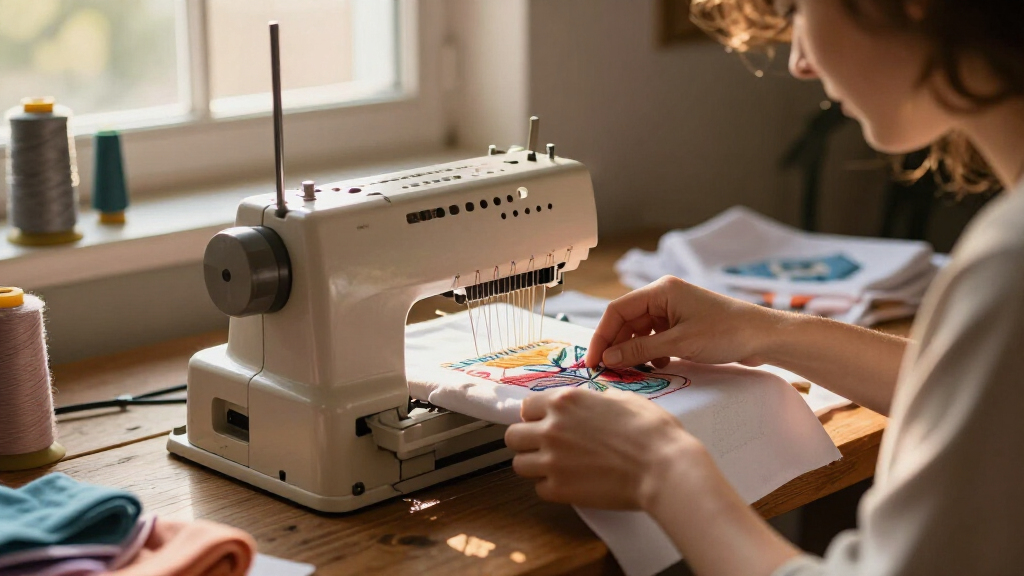
How We Picked
In evaluating these embroidery machines, I focused on key factors that impact real-world use in a home studio. Performance, such as stitching precision and embroidery area, was prioritized because they determine what projects I can handle. Usability features like touchscreen controls, wireless connectivity, and software compatibility were essential, as they influence ease of operation and workflow efficiency. Build quality and reliability were also considered, ensuring the machines can withstand frequent use. Lastly, I balanced value and price, highlighting options that offer the best features for their cost, and ranked products accordingly to cater to different user needs and budgets.Factors to Consider When Choosing Embroidery Machines For Home Studios
When selecting an embroidery machine for your home studio, consider several factors that directly impact your experience and project outcomes. Understanding these can help you avoid common pitfalls, such as overspending on features you won’t use or choosing a machine that’s too complex for your skill level. The right machine should match your creative needs, available space, and technical comfort. Let’s explore the main considerations to keep in mind before making a purchase.Embroidery Area Size
The size of the embroidery area determines the maximum size of the designs you can create without repositioning. Larger hoops, such as 11 x 7.9 inches, open up more creative possibilities but often come with increased cost and complexity. Smaller areas, like 4 x 4 inches, are more manageable for beginners and typical home projects. Think about your usual project sizes and whether you plan to expand in the future, balancing space needs against budget and machine footprint.
Ease of Use and User Interface
A straightforward interface and intuitive controls are vital, especially if you’re new to embroidery machines. Touchscreens with clear menus reduce setup time and minimize frustration. Advanced features like automated thread trimming or built-in tutorials can speed up learning but may complicate the machine for absolute beginners. Consider your comfort with technology and how much time you want to spend learning new features versus creating.
Connectivity and Software Compatibility
Wireless connectivity enables seamless transfer of designs from your computer or mobile device, saving time and reducing errors. Compatibility with popular design software expands your creative options and simplifies customization. However, some machines require proprietary software or have limited connectivity options, which might restrict your workflow. Weigh the importance of connectivity features against your tech setup and budget to find the best fit.
Build Quality and Reliability
A durable machine with high-quality components ensures consistent results and fewer breakdowns. Cheaper models may save money upfront but could lead to higher maintenance costs or frustration with frequent malfunctions. Look for reputable brands with good customer support and positive reviews from other home users. Investing a little more initially can pay off in long-term reliability and satisfaction.
Price and Overall Value
Prices vary widely based on features, size, and brand reputation. While it’s tempting to opt for the cheapest option, consider whether it meets your current needs and if it offers room to grow. Often, spending a bit more on a machine with extra features, larger embroidery areas, or better connectivity yields greater satisfaction and versatility. Aim for a balance between budget and the features that will genuinely enhance your creative projects.
Frequently Asked Questions
Can I upgrade my embroidery machine later?
Many embroidery machines offer firmware updates and software upgrades, which can enhance functionality over time. However, hardware upgrades like larger hoops or additional features typically require purchasing a new machine. When choosing your initial model, consider your long-term needs and whether the machine’s capabilities can grow with you, saving money and effort down the line.
Is wireless connectivity essential for home embroidery machines?
Wireless connectivity is increasingly common and can significantly streamline your workflow by allowing direct transfer of designs from your computer or mobile device. For hobbyists or occasional users, it can be a time-saver, but isn’t a deal-breaker if manual transfer methods work fine. Evaluate how much you value convenience and whether your current tech setup supports seamless integration.
What’s the best embroidery machine for small spaces?
Compact machines with a smaller footprint, like those with 4 x 4 inch embroidery areas, are ideal for limited spaces. They are generally lighter and easier to store, making them perfect for small home studios. Keep in mind that smaller machines may have fewer advanced features and smaller embroidery areas, so choose one that matches your project scope and available workspace.
Are combo sewing and embroidery machines worth it?
Combo machines like the Brother SE2000 or SE700 provide the convenience of both sewing and embroidery in a single unit, which is great for versatile projects. However, they tend to be more expensive and sometimes less specialized, meaning they might not excel at either task compared to dedicated machines. If you’re tight on space or want flexibility, a combo can be a good choice; otherwise, a dedicated embroidery machine might deliver better results.
How much should I budget for a good home embroidery machine?
Budget ranges vary from around $300 for entry-level models to over $1,500 for high-end units with large embroidery areas and advanced features. For most home studios, investing between $500 and $1,000 strikes a good balance, providing a machine with sufficient capabilities without unnecessary extras. Consider your project scope and future needs, as spending more upfront can lead to better durability and creative potential.
Conclusion
The best overall embroidery machine for most home studios is the Brother PE900, offering a strong combination of features, ease of use, and value. If you prioritize large embroidery areas and advanced automation, the Poolin EOC06 is an excellent premium choice. Beginners will find the Poolin EOC05 straightforward and budget-friendly, while hobbyists seeking versatility may prefer combo models like the Brother SE700. Ultimately, selecting the right machine depends on your specific projects, space, and budget — but understanding these options makes the decision much clearer.